The 9 Best NotebookLM Chrome Extensions in 2026 (Compared)
Enhance your NotebookLM experience with our free browser extension.
View plansShort answer: the "best" NotebookLM Chrome extension depends on the job. If you want one extension that covers organization, search, prompts, imports, backups, and downloads, install NotebookLM Tools (90,000+ users, 4.7★, free — and yes, it's ours). If you only need one specific gap filled, the ecosystem has excellent specialists — including two importers bigger than us. Below are nine of the biggest NotebookLM extensions on the Chrome Web Store, compared with their real user counts.
NotebookLM (now Gemini Notebook) is excellent at analyzing sources, but its interface leaves real gaps: no folders for sources, no way to search across notebooks, no saved prompts, no playlist, RSS, or open-tab import, no bulk export. A whole ecosystem of Chrome extensions has grown to fill those gaps. We build one of them, so we know the space well — this comparison stays factual: every entry is among the most-installed NotebookLM extensions (40,000+ users each), every claim comes from its official Chrome Web Store listing, and user counts are as shown on the store in September 2026.
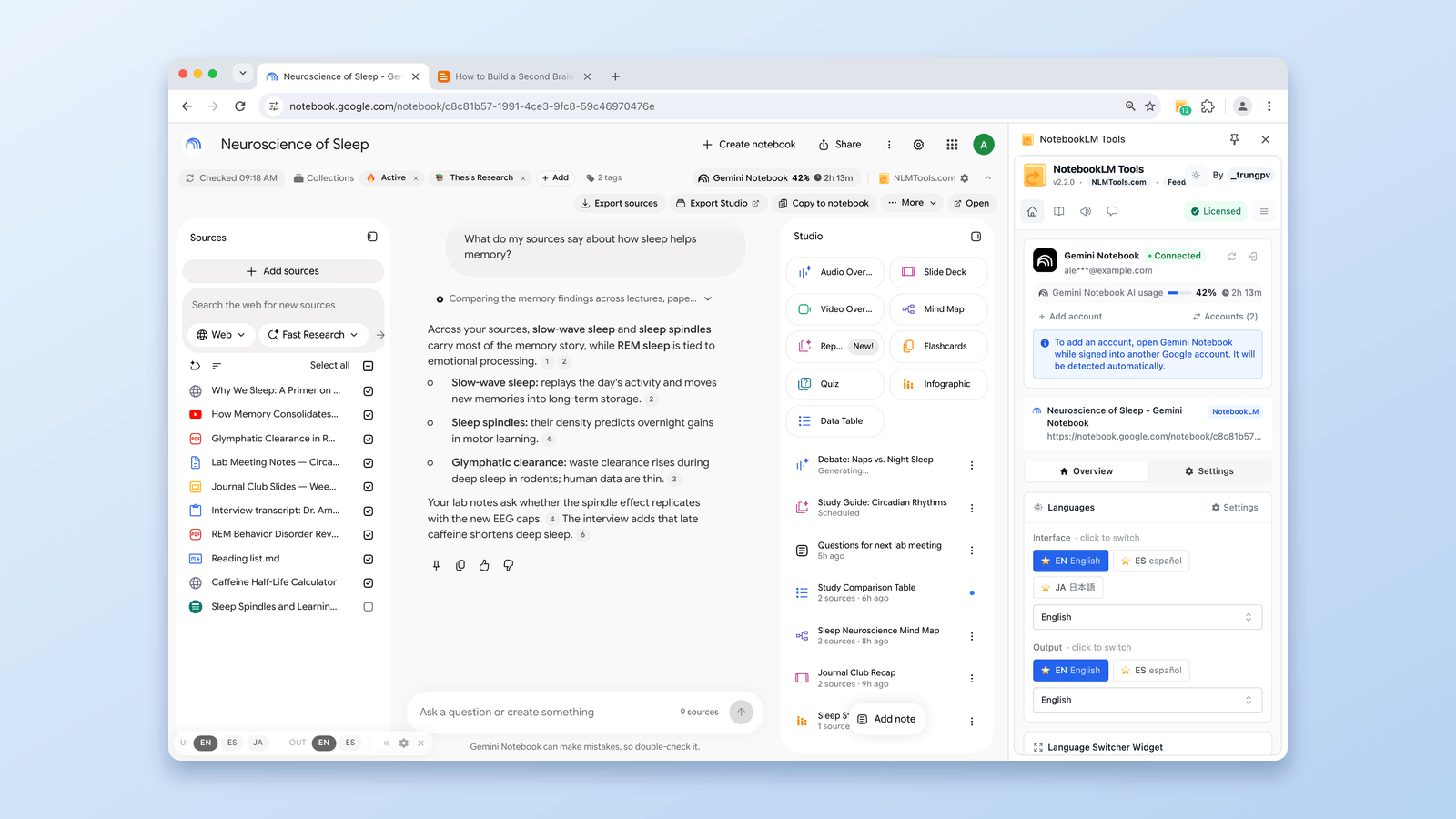
Quick Comparison
| Extension | Users* | Rating* | Best for | Firefox? |
|---|---|---|---|---|
| YouTube to NotebookLM | 500,000 | 4.9★ | Sending YouTube videos & channels to notebooks | ✅ |
| NotebookLM Web Importer | 300,000 | 4.7★ | One-click importing of pages & videos | ✅ |
| Kortex-NotebookLM | 100,000 | 4.7★ | Prompts, chat export, cross-AI knowledge hub | — |
| NotebookLM Tools | 90,000 | 4.7★ | All-in-one: organize, search, import, export, audio | ✅ |
| NotebookLM AI Sidebar | 80,000 | 4.7★ | Sidebar imports of links, YouTube videos & Shorts | — |
| ExtendLM | 70,000 | 4.8★ | Notebook management & merging | — |
| WebSync for NotebookLM | 70,000 | 4.5★ | Importing login-protected & dynamic sites | — |
| NotebookLM to PDF, Word, Markdown | 50,000 | 4.2★ | Saving chats & notes as documents | — |
| FolderLM | 40,000 | 4.2★ | Folders, bulk import, merging sources | — |
* User counts and ratings as displayed on the Chrome Web Store; Firefox availability checked on addons.mozilla.org — both September 2026. Some listings have since been renamed on the store: Kortex-NotebookLM is now "Kortex NotebookLM: Best Gemini Notebook Toolkit", WebSync is "WebSync for Gemini Notebook, Drive, and Sheets", the PDF exporter is "Gemini Notebook to PDF, Word, Markdown export", and ExtendLM is "NotebookLM Extension (Gemini Notebook) - ExtendLM".
1. NotebookLM Tools — the all-in-one (ours)
NotebookLM Tools — 90,000+ users, 4.7★. Disclosure: this is our extension, so judge this section accordingly — but the feature list is verifiable on the store. It takes the "power-user toolbox" approach: instead of solving one gap, it adds 35+ features across the whole NotebookLM workflow:
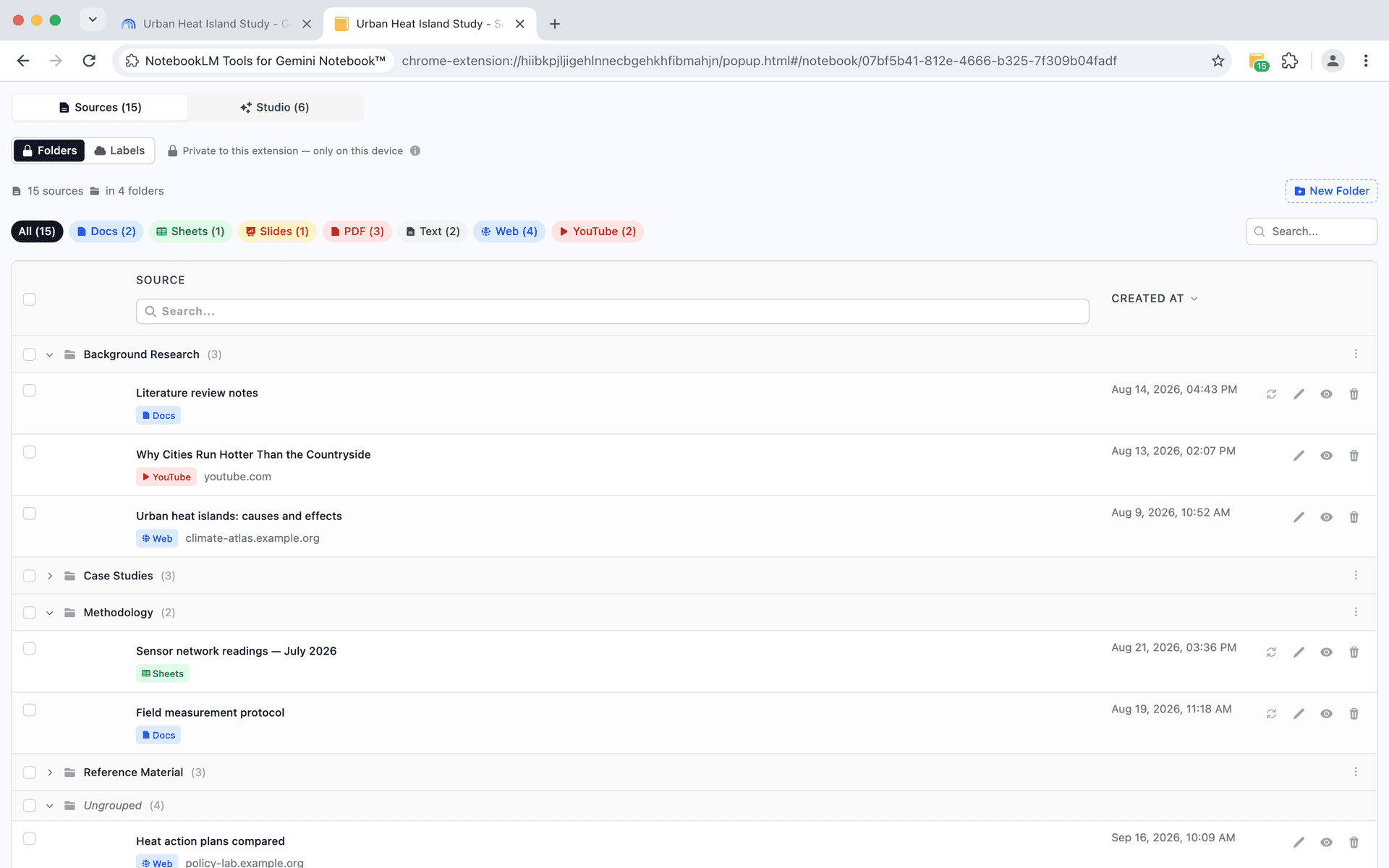
- Organization — native notebook collections (create, bulk-assign, filter — synced to your Google account), source folders with drag-and-drop, source labels, notebook tags with colors, a dashboard with grid/table views
- Search — cross-notebook search across every notebook and source from one search bar
- Prompts — save up to 100 prompts and fire them with /slash commands
- Import — bulk-add 50+ URLs at once, YouTube playlists, RSS feeds, open tabs, right-click import, ZIP upload
- Export & backup — per-notebook source export, backup & restore, slide decks to PDF/PPTX
- Audio — a full podcast player with MP3 downloads, single or bulk ZIP
- Extras — studio generation, language switcher (80+ languages), multi-account support, duplicate scanner, dark mode
The core is free; an optional Pro license — a one-time payment, no subscription — adds batch generation (several Studio types in one click, several items in one run, or one preset on up to 20 notebooks), removes the upgrade reminders, and activates on up to 5 devices (pricing). It's also the only all-in-one on this list available for Firefox — the official Firefox add-on has the same features as the Chrome version.
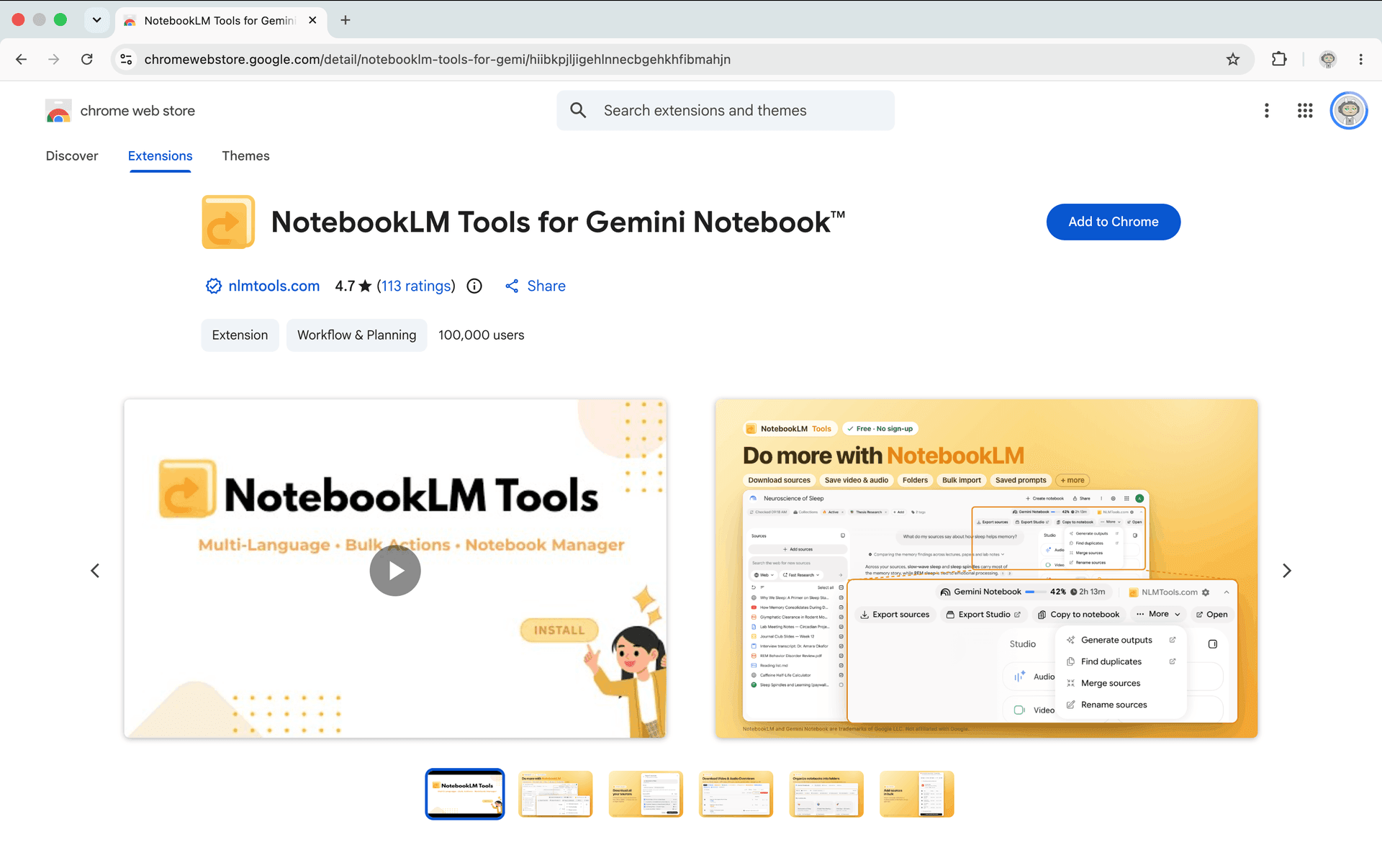
Choose it if: you use NotebookLM daily and want one extension instead of five.
2. YouTube to NotebookLM — the biggest one of all
YouTube to NotebookLM — 500,000 users, 4.9★, the most-installed NotebookLM extension on the store. It does one thing extremely well: send YouTube videos to NotebookLM, sync whole YouTube channels into a notebook, and manage video sources easily. A Firefox build is also available on addons.mozilla.org. If your research runs on video content, this is the specialist to beat.
Choose it if: YouTube is your main source type. (If you also want playlist/RSS/tab imports plus organization, an all-in-one covers those too.)
3. NotebookLM Web Importer — fastest way to feed pages in
NotebookLM Web Importer — 300,000 users, 4.7★. While browsing, one click sends the current page, YouTube video, or an entire playlist into a notebook. It also ships an official Firefox build. If your main friction is getting content into NotebookLM and you don't need organization or export features, this is a clean, focused choice — and the install base shows it.
Choose it if: importing pages is your only pain point.
4. Kortex-NotebookLM — the cross-AI knowledge hub
Kortex-NotebookLM — 100,000 users, 4.7★. Kortex approaches NotebookLM from a different angle: it turns NotebookLM into a knowledge hub — save prompts, export chats, and organize your interactions, with a workflow that pairs NotebookLM with other AI chatbots like ChatGPT, Gemini, and Perplexity.
Choose it if: your workflow spans multiple AI assistants and you want your NotebookLM interactions organized across them.
5. WebSync for NotebookLM — imports where others fail
WebSync for NotebookLM — 70,000 users, 4.5★. Its niche: importing web pages, whole websites, or YouTube playlists including login-protected and dynamic sites — the pages NotebookLM's own URL fetcher can't reach because it browses as an anonymous visitor. Since it captures what your browser sees, paywalled or session-bound content becomes importable.
Choose it if: your sources live behind logins, paywalls, or JavaScript-heavy pages.
6. NotebookLM AI Sidebar — capture without leaving the page
NotebookLM AI Sidebar — 80,000 users, 4.7★. A sidebar that lets you import web links into a notebook and add YouTube videos and Shorts with one click, keeping the capture flow next to whatever you're reading.
Choose it if: you prefer a persistent sidebar over toolbar popups or right-click menus.
7. FolderLM — folders plus bulk basics
FolderLM — 40,000 users, 4.2★. Organizes NotebookLM with folders, a dashboard, bulk import, source merging, prompts, full-screen mode, and citation copying. It overlaps most directly with the organization half of NotebookLM Tools — we wrote a detailed FolderLM comparison if you're weighing the two. One difference to weigh: NotebookLM Tools has since added management for NotebookLM's native notebook collections — groups synced to your Google account rather than stored in one browser.
Choose it if: folders and bulk import are your focus and you like its dashboard approach.
8. NotebookLM to PDF, Word, Markdown — chats as documents
NotebookLM to PDF, Word, Markdown export — 50,000 users, 4.2★. Focused on the output side of chat: save NotebookLM conversations and notes as PDF, Word, or Markdown files with one click. Handy for archiving Q&A sessions — something no extension can restore back into NotebookLM, so a document copy is the practical option.
Choose it if: you mainly need chat transcripts as shareable documents. For slides, reports, and notes as PDF, compare with how to export NotebookLM to PDF.
9. ExtendLM — notebook management and merging
ExtendLM — 70,000 users, 4.8★. Adds folders, tags, custom prompts, and bulk notebook and source management, and is known for its merge workflow — combining sources from multiple notebooks into a destination notebook as a background job. NotebookLM has no native merge, so tools compete on how smoothly they handle the workaround.
Choose it if: large merges and bulk notebook management are your daily reality.
Smaller tools worth a note
Below the 40k-user line there's a long tail of niche extensions. One worth knowing: NotebookLM Export Pro (~7,000 users) focuses on bulk-downloading sources and notebook content to formats like PDF, Markdown, or plain text — an alternative to the bigger document exporter above if its formats fit your workflow better. As with any small extension, check the listing's permissions and update history before installing.
How to Choose
Three questions settle it quickly:
- How many gaps are you filling? One gap → a specialist (YouTube to NotebookLM, Web Importer, WebSync). Two or more → an all-in-one saves you from extension sprawl — each added extension is another permission grant and another thing loading on the page.
- Do you need your data back later? Anything export-related splits into "documents for humans" (PDF/Word exporters) and "backups that re-import" (JSON/ZIP source exports). Pick by destination.
- Which browser? On Firefox you have three of the big ones: YouTube to NotebookLM, NotebookLM Web Importer, and NotebookLM Tools' official add-on — the only all-in-one of the three, with full Chrome feature parity. The rest of the list is Chrome-only.
A Note on Safety
All of these extensions work by enhancing the NotebookLM page you already have open. Reasonable safety checks before installing any of them (ours included): read the privacy practices tab on the Web Store listing, check the user count and review history, and confirm the extension has been updated recently — NotebookLM's interface changes often, and an unmaintained extension breaks quietly. On permissions, open the Web Store permissions tab and ask whether the breadth matches the feature set: an extension that imports arbitrary web pages needs broad access, while one that only reads your notebook list does not. What matters more is where it actually runs — a content script scoped to the NotebookLM domains never touches your other tabs. Ours declares broad host access for right-click and bulk URL import, while its content script runs only on notebooklm.google.com and notebook.google.com.
Frequently Asked Questions
What is the best Chrome extension for NotebookLM?
For overall coverage, NotebookLM Tools — 35+ features spanning organization, search, prompts, import, export, and audio, free, on Chrome and Firefox. For single jobs, the biggest specialists are YouTube to NotebookLM (500,000 users) for video and NotebookLM Web Importer (300,000 users) for web pages.
Are NotebookLM Chrome extensions safe?
The established ones run entirely in your browser and store settings locally. Check each listing's privacy practices, permissions scope, user count, reviews, and update history before installing — that applies to every extension on this list.
Is there a NotebookLM extension for Firefox?
Yes — a few of the big ones have Firefox builds: YouTube to NotebookLM, NotebookLM Web Importer, and NotebookLM Tools are all on addons.mozilla.org. NotebookLM Tools' official Firefox add-on is the only all-in-one among them, with the same features as its Chrome version.
Do these extensions work with NotebookLM Plus?
Yes. They enhance the web interface itself, so free and paid NotebookLM accounts get the same extension features.
Wrap-up
The NotebookLM extension ecosystem in 2026 is genuinely deep: roughly 1.3 million combined users across the nine tools above, each fixing real gaps. If you'd rather install one tool than five, start with NotebookLM Tools and see the full feature list; if you're a specialist, the single-purpose picks above have earned their install bases.
Related articles:
- How to Install NotebookLM Tools on Firefox — The official Firefox add-on, step by step.
- FolderLM Alternative With More Than Folders — Our detailed FolderLM vs NotebookLM Tools comparison.
- Add Web Pages to NotebookLM with a Right-Click — 7 context-menu import actions compared.
- How to Download NotebookLM Audio & Video Overviews (MP3, MP4) — The downloader workflow, native and bulk.
- Can You Create Folders in NotebookLM? Yes — Here's How — The folders feature that started this ecosystem.
Trusted by 90,000+ NotebookLM users
Related articles
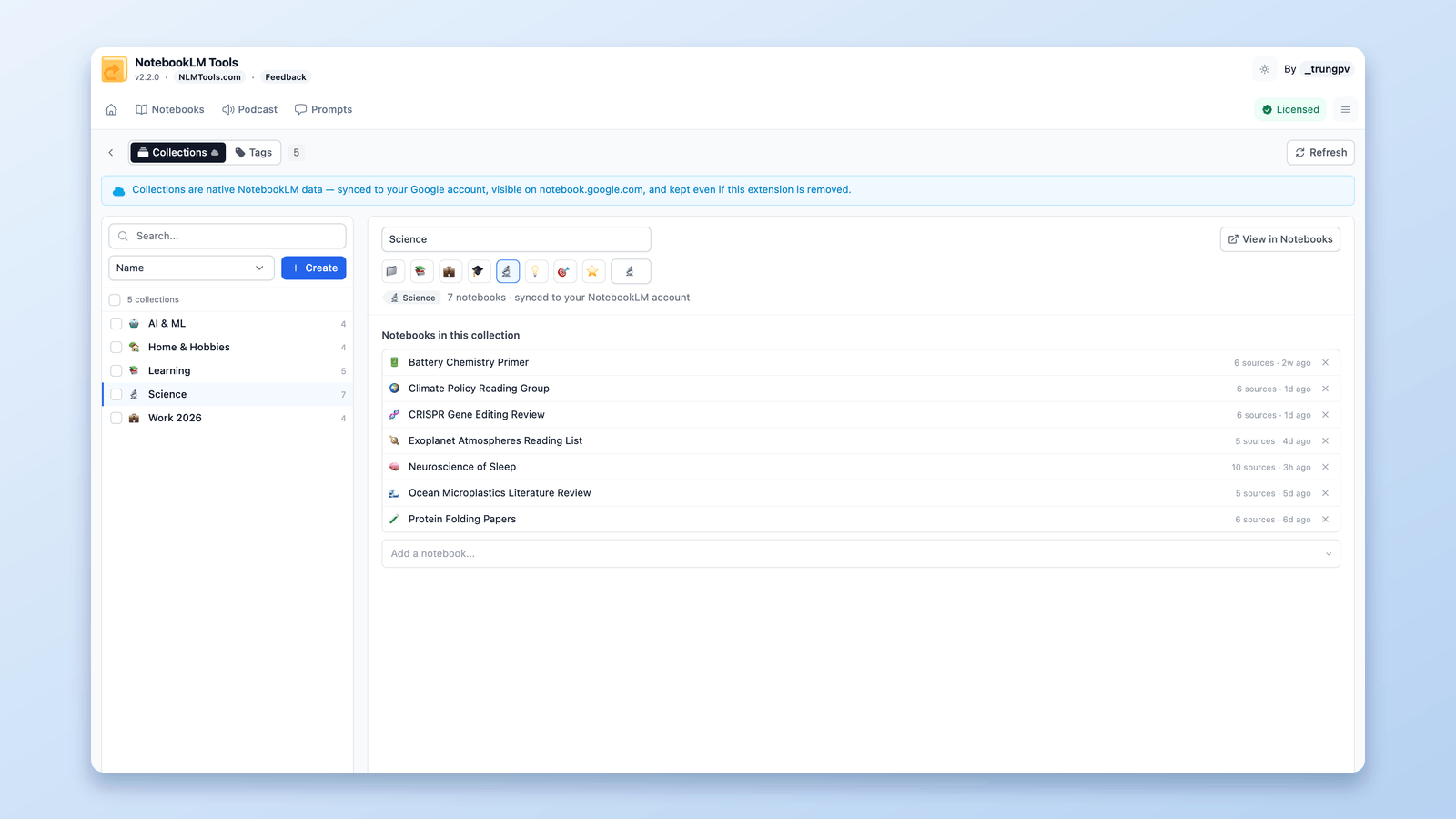
How to Group & Organize Notebooks in NotebookLM (Collections)
Yes, you can group notebooks in NotebookLM. Collections are native notebook folders synced to your Google account — create, bulk-assign, and filter in seconds.
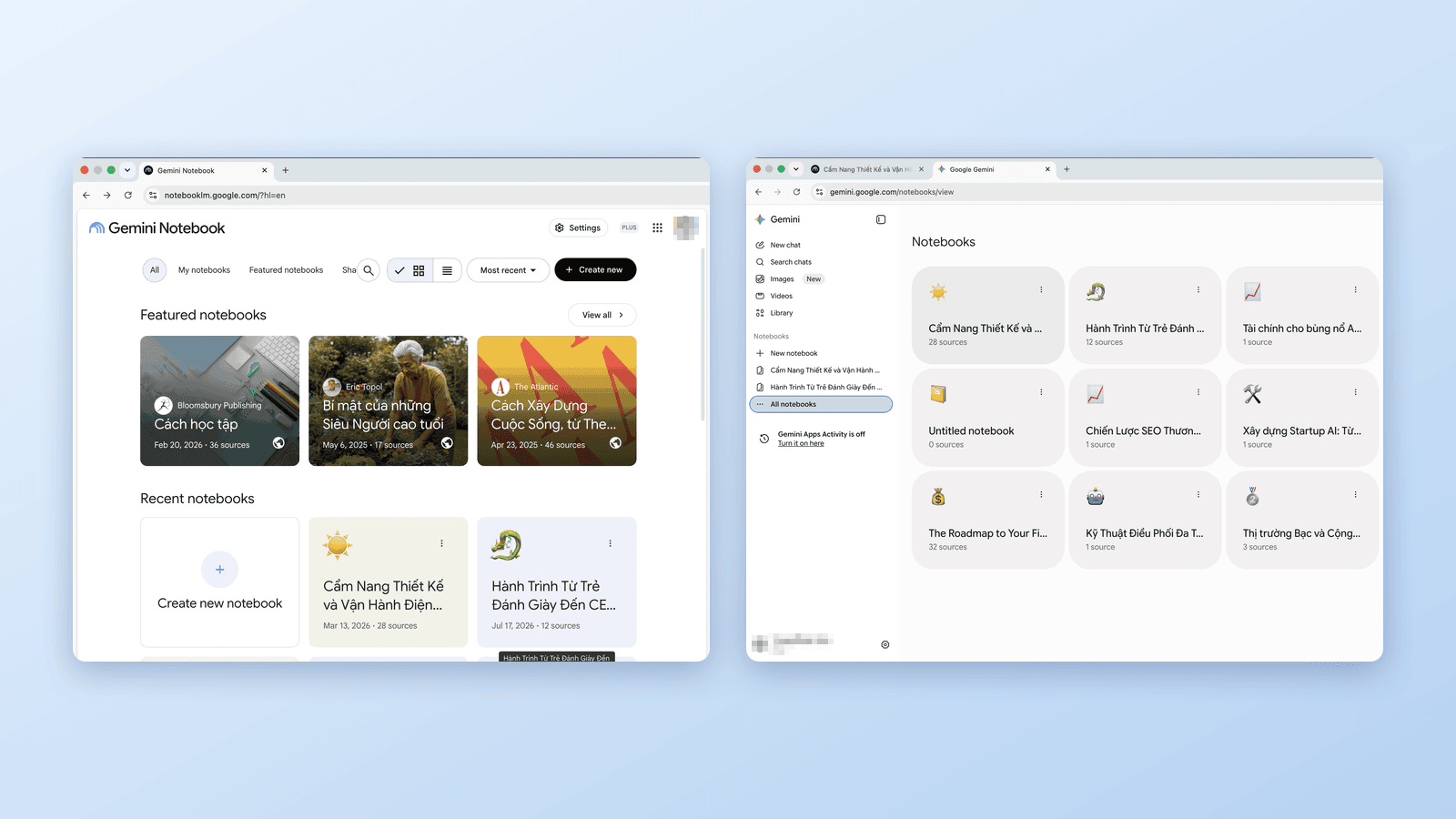
Gemini Notebook vs Notebooks in Gemini: What's the Difference?
Google now has notebooks in three places: Gemini Notebook (ex-NotebookLM), the Gemini app, and AI Mode in Search. Which is which, how they sync, and which to use.
NotebookLM Tools: The FolderLM Alternative With More Than Folders
Looking for a FolderLM alternative for NotebookLM? NotebookLM Tools covers folders plus saved prompts, cross-notebook search, and bulk import in a single extension.