Is NotebookLM Free? Limits, Prices & What Paid Plans Add
Enhance your NotebookLM experience with our free browser extension.
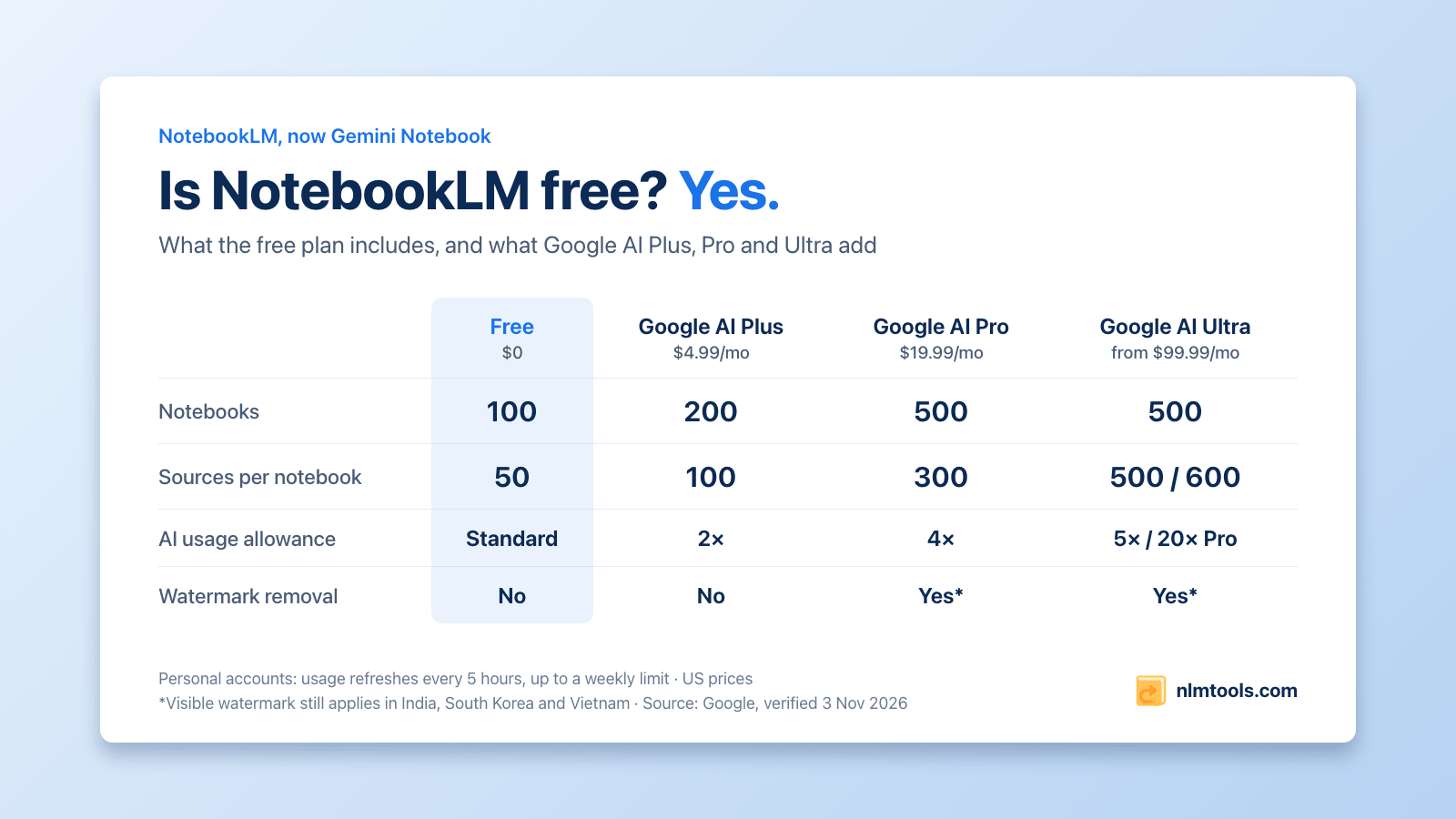
View plansShort answer: yes. NotebookLM (now Gemini Notebook) is free with a personal Google account, and the free plan is not a trial. You get up to 100 notebooks, 50 sources per notebook, and Studio outputs such as Audio and Video Overviews, reports, flashcards and quizzes, all drawing on a standard AI usage allowance that refreshes every 5 hours up to a weekly limit. Paid Google AI plans raise those limits: Google AI Plus costs $4.99 a month in the US, Google AI Pro $19.99, and Google AI Ultra starts at $99.99. Last verified: 3 November 2026.
Many guides still list the fixed daily caps NotebookLM used to have. Google replaced them for personal accounts in September 2026, so everything below comes from Google's own plan table and help pages, with links. We build NotebookLM Tools, a free extension for Gemini Notebook, and the last section shows how to make the free plan go further.
What the free plan includes
Google calls the free tier Gemini Notebook Standard. Its plan page says you can "sign up free of charge by using your gmail account": no card, no trial period, as long as you meet the minimum age and live in a supported country. The app lives at notebook.google.com, the address it moved to from notebooklm.google.com in late July 2026.
- 100 notebooks per account and 50 sources per notebook.
- Big sources: up to 500,000 words per source, or 200 MB for an uploaded file, with no page limit (Google's FAQ).
- The Studio: Audio Overviews, Video Overviews, reports, flashcards, quizzes, mind maps and the other formats. Google's plan table doesn't reserve these formats for paid plans; paying lets you make more of them. One video style, Cinematic, is the exception, as explained further down.
- Custom chat and analytics: Google's table says both "are available to everyone."
- A standard AI usage allowance that refreshes every 5 hours, explained below.
Free vs Plus vs Pro vs Ultra
| Free (Standard) | Google AI Plus | Google AI Pro | Google AI Ultra | |
|---|---|---|---|---|
| Price in the US | $0 | $4.99/month | $19.99/month | $99.99 or $199.99/month |
| Notebooks | 100 | 200 | 500 | 500 |
| Sources per notebook | 50 | 100 | 300 | 500 or 600 |
| AI usage allowance | Standard | 2× standard | 4× standard | 5× or 20× AI Pro |
| Gemini models | Access | Access | Higher access | Highest access |
| Earlier access to new features | Standard | Early | Priority | Priority |
| Watermark removal | No | No | Yes* | Yes* |
| Advanced sharing | No | Yes | Yes | Yes |
Ultra comes in two tiers. The $99.99 plan (Google's 20 TB plan) allows 500 sources per notebook and 5× AI Pro's usage; the $199.99 plan (30 TB) allows 600 sources and 20×.
*Google applies a visible watermark automatically if you live in India, South Korea or Vietnam, whatever your plan.
The limits come from Google's plan table and usage-limits page; the prices are the US prices on Google's Google AI plans page, which shows local prices in other countries. Each plan also bundles Google storage and Gemini app features, so you aren't paying for Gemini Notebook alone. Last verified: 3 November 2026.
How the usage limit works
Google switched Gemini Notebook to compute-based usage limits for personal accounts in September 2026. Its announcement said the change would roll out to consumer accounts from September 2. Instead of a fixed number of chats or Audio Overviews per day, each request uses part of an allowance that factors in "prompt complexity, chat length, number of sources, and the features you use."
- Refresh: your allowance refreshes every 5 hours until you reach a weekly limit, according to Google's help page.
- Size: Google doesn't publish the standard allowance as a number. It only gives multiples: AI Plus gets 2× the standard limits, AI Pro 4×, and AI Ultra 5× or 20× AI Pro.
- Where to see it: on notebook.google.com, open Settings (top right), then Usage. The chat also shows how much you have left and when it resets, and the Studio shows the expected cost before you generate.
- When you run out: you'll see a message such as "Limit reached. All features are available after 3:00 PM." You can wait for the refresh, use Generate later in the Studio panel (web only; Google says it may take a couple of hours and can notify you when it's ready), or upgrade.
- What doesn't count: for some users, Gemini Notebook creates an item automatically when they first add sources, and Google's plan table says these "do not contribute to limits."
Sharing doesn't stretch a plan either. Google notes that "sharing a notebook does not change the source limit for any collaborator."
What paid plans add besides higher limits
- Better models and earlier features: Google lists "higher" access to Gemini models on Pro and the "highest" on Ultra, plus earlier access to key features from Plus up.
- Watermark control on Pro and Ultra: subscribers can switch off the visible watermark on generated images and videos, except in India, South Korea and Vietnam, where Google applies it automatically. An invisible SynthID watermark stays on outputs made with Google's Veo, Omni and Nano Banana models.
- Advanced sharing for paid users.
- Cinematic Video Overviews: Google launched this video style in March 2026 for AI Ultra subscribers, and only for users 18 and over, in English (Google's announcement).
- New capabilities often start on paid plans. Code execution, a "secure cloud computer" in each notebook, reached AI Ultra in June 2026 before Google announced it for AI Pro (what changed with the rename). Others reach everyone: co-create, where you review Gemini Notebook's plan for a Slide Deck or Video Overview before it's generated, began rolling out to all users on October 19, 2026 (Google's announcement), even though Google's help pages still describe it as Ultra-only.
Work and school accounts
If you sign in with a Google Workspace or Workspace for Education account, your organization's license decides your limits. Google announced the September switch to 5-hour refreshes for consumer accounts, and its work and school page still lists fixed daily caps: at the Standard level, 50 chats, 3 Audio Overviews, 3 Video Overviews and 10 each of reports, flashcards, quizzes and mind maps a day, plus 10 Deep Research runs a month. Higher editions raise every cap, up to 600 sources per notebook, and Google's FAQ says businesses, schools and organizations "can access higher limits and expanded features." Your admin can tell you which edition you're on. Companies can also use the enterprise edition through Google Cloud, which Google says offers "5X or more notebook artifacts" and which runs at its own address, notebook.cloud.google.com.
Which plan do you need?
- Stay on the free plan if your projects fit in 50 sources per notebook and you rarely see the limit message. That covers a lot of students and occasional researchers.
- Google AI Plus makes sense when you keep hitting the 50-source cap or running out before the 5-hour refresh. It doubles your notebooks, sources and usage for $4.99 a month in the US.
- Google AI Pro is for daily, heavy use: 300 sources per notebook, 4× the usage, higher model access and control over the visible watermark (except in India, South Korea and Vietnam).
- Google AI Ultra is for the largest notebooks (500 or 600 sources), the highest usage and model access, and features that launch on Ultra first, such as Cinematic Video Overviews.
To check which plan you're on, look next to your profile picture in Gemini Notebook: Google says upgraded plans show "a distinct badge" there.
Make the free plan go further
Two of the free plan's limits, 50 sources and 100 notebooks, are about how you organize, and you can work around them without paying:
- Merge small sources. NotebookLM Tools adds Merge sources to the More menu on the notebook toolbar, which turns a stack of short notes or web pages into one plain-text source (anything over 490,000 characters is split into numbered parts). It only frees slots if you also tick the option to delete the originals, which is permanent. Here's how to merge sources.
- Archive finished notebooks, carefully. Deleting a notebook is permanent: there's no trash or undo. Before you delete one to free a slot, back it up or export its sources as JSON, which can be imported again (guide); download the Studio outputs you want, since backups don't include them; and save chat answers you need as notes, since chat history can't be exported. You can also merge small related notebooks into one (some source types, such as slides and videos, can't be copied), and keep the rest findable with collections.
- Keep what you generate. Every regeneration uses part of your allowance. Download your Audio and Video Overviews and export your quizzes and flashcards so you never have to make the same thing twice.
- Watch the meter. NotebookLM Tools shows your Gemini Notebook usage on the notebook toolbar, with how much you've used and when it resets, and its Generate panel shows how much a batch will use before you run it. The numbers come from Gemini Notebook: the limit is Google's, not the extension's.
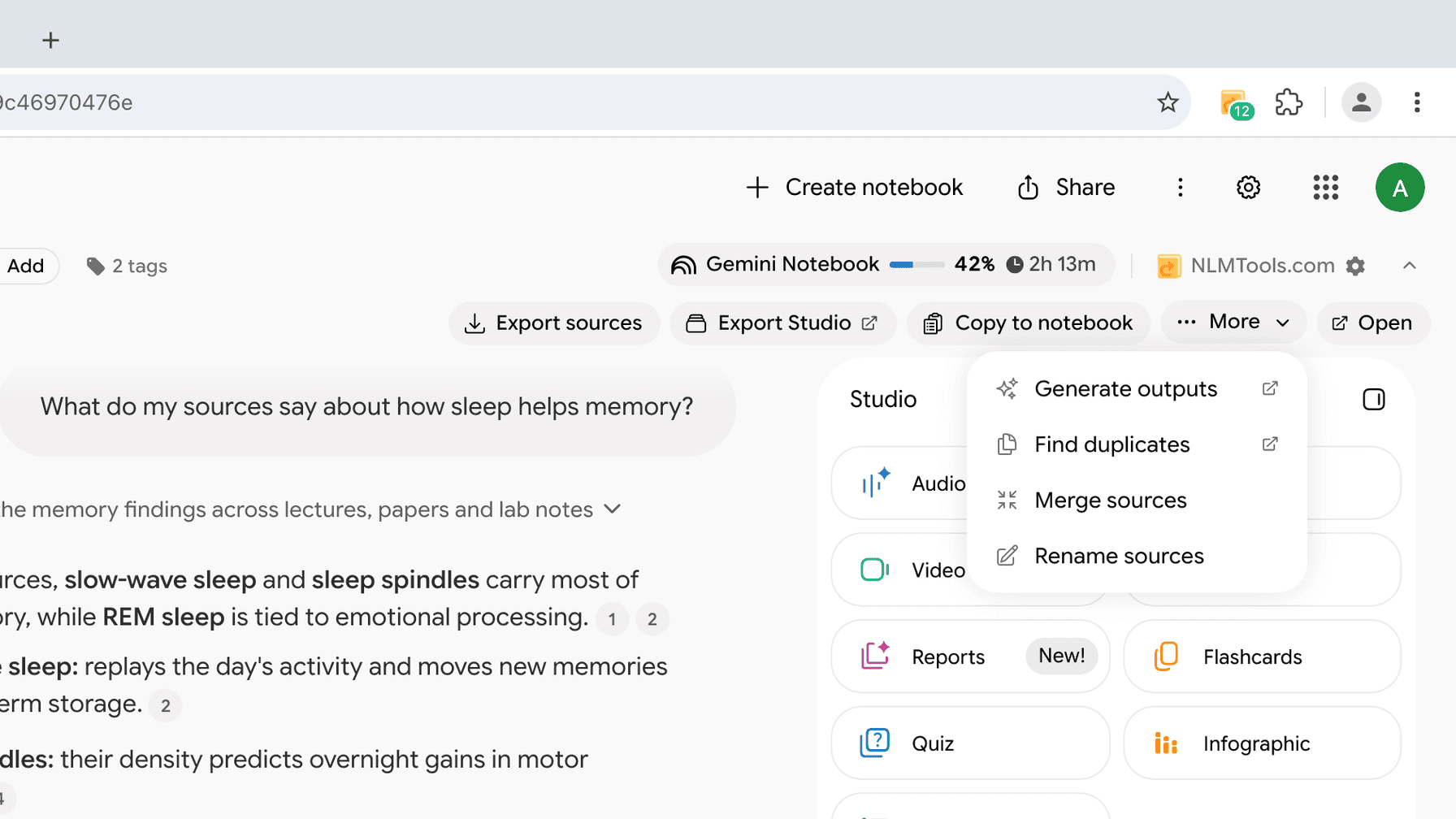
NotebookLM Tools itself is free, with 35+ features. Its optional Pro license is a one-time payment with no auto-renewal that adds batch generation and a few extras. It is separate from your Google plan and doesn't raise Google's limits.
Frequently Asked Questions
Is NotebookLM free?
Yes. NotebookLM, which Google renamed Gemini Notebook in July 2026, is free with a personal Google account. The free plan gives you up to 100 notebooks and 50 sources per notebook, plus Studio outputs such as Audio and Video Overviews, all within a standard AI usage allowance that refreshes every 5 hours up to a weekly limit. Paid Google AI plans (Plus, Pro and Ultra) raise those limits.
What are the limits of the free plan?
Up to 100 notebooks, 50 sources per notebook, and 500,000 words or 200 MB per source, with no page limit. On a personal Google account, AI features draw on a standard usage allowance that refreshes every 5 hours until you reach a weekly limit; Google doesn't publish that allowance as a fixed number of chats or Audio Overviews. Work and school accounts have fixed daily caps instead.
How much do Google AI Plus, Pro and Ultra cost?
In the US, Google lists Google AI Plus at $4.99 a month, Google AI Pro at $19.99 a month, and Google AI Ultra at $99.99 a month (5 times AI Pro's usage) or $199.99 a month (20 times). Prices differ by country, and Google's plans page shows yours. Last verified: 3 November 2026.
When does my usage limit reset?
On a personal Google account, your allowance has refreshed every 5 hours since September 2026, until you reach a weekly limit. On notebook.google.com, Settings → Usage shows how much you've used, and the chat shows when your limit resets. If you run out, you can wait, use Generate later for Studio items on the web, or upgrade. Work and school accounts still have daily caps, which reset after 24 hours.
Do paid plans remove the watermark?
Partly. Google's plan table lists watermark removal for Google AI Pro and Ultra, not for the free plan or Plus: Pro and Ultra subscribers can switch off the visible watermark on generated images and videos with a Visible watermarking toggle in the menu under their profile picture. Outputs made with Google's Veo, Omni and Nano Banana models keep an invisible SynthID watermark, and people in India, South Korea or Vietnam get the visible watermark automatically, whatever their plan.
Does Google train its AI on my notebooks on the free plan?
Google's plan page says your data is not used to train Gemini Notebook unless you provide feedback, and that when you do, Google may review the full context of that interaction, including your queries, uploads and the model's responses. Google's privacy page adds that feedback is reviewed by specially trained teams and kept for up to 3 years, disconnected from your Google Account. On work and school accounts, Google says your content isn't reviewed by humans or used to train AI models, even when you give feedback.
Do I need a paid Google plan to use NotebookLM Tools?
No. NotebookLM Tools is a free browser extension that works with personal and work or school accounts on notebook.google.com, on the free plan and on paid ones; it doesn't run on the enterprise edition at notebook.cloud.google.com. Its optional Pro license is a one-time payment with no auto-renewal that adds extras such as batch generation. It is separate from your Google plan and doesn't raise Google's limits.
Sources: Google's plan table, Google's usage-limits help page, Google's announcement of the new limits (August 28, 2026), Google's FAQ on source size, Google's Video Overviews help page, Google's work and school page, Google's privacy page, Google's Cinematic Video Overviews announcement (March 4, 2026), Google's co-create announcement (October 19, 2026), Google AI plans, US prices. Last verified: 3 November 2026.
Trusted by 100,000+ NotebookLM users
Related articles
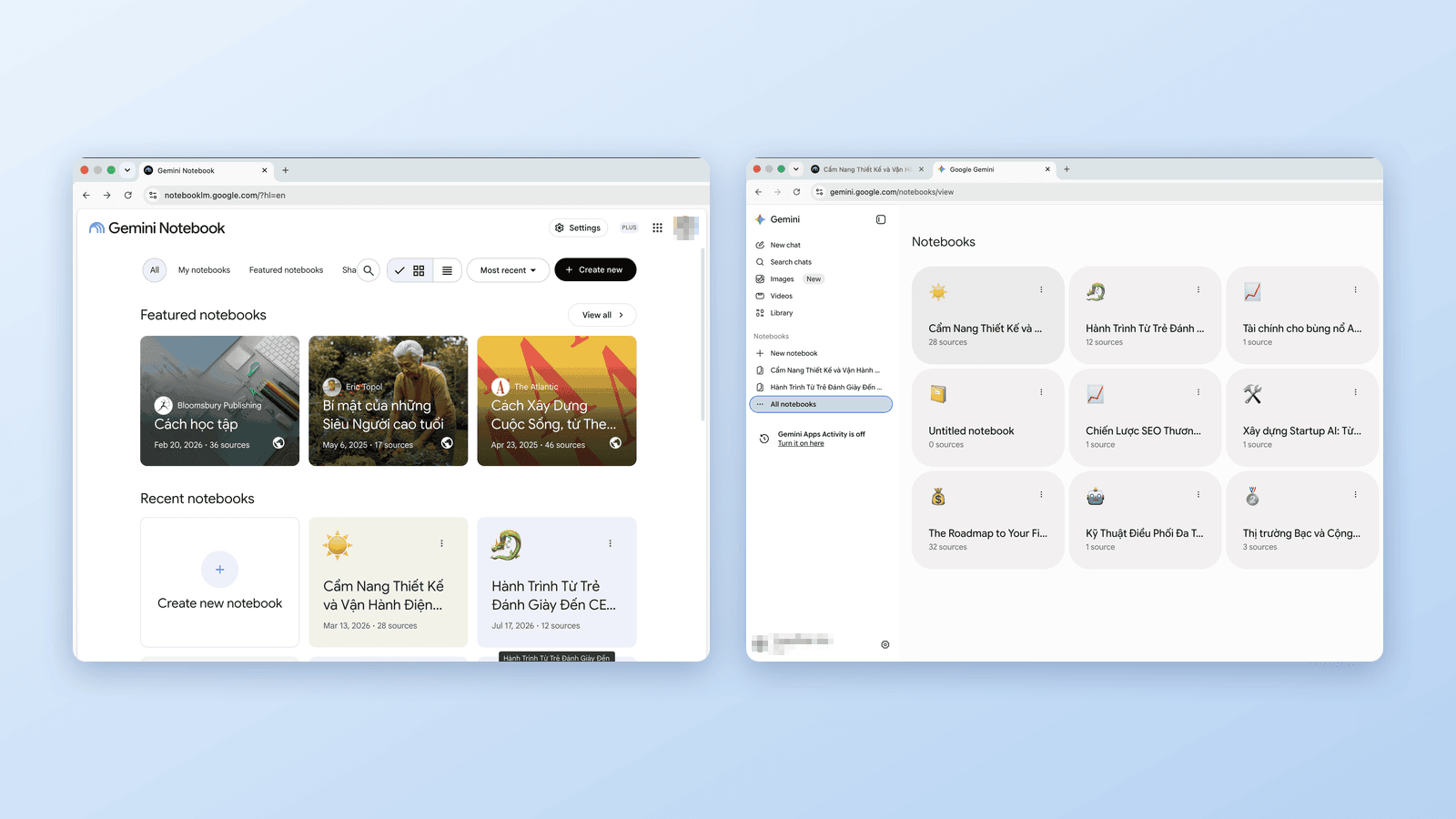
Gemini Notebook vs Notebooks in Gemini: What's the Difference?
Google now has notebooks in three places: Gemini Notebook (ex-NotebookLM), the Gemini app, and AI Mode in Search. Which is which, how they sync, and which to use.
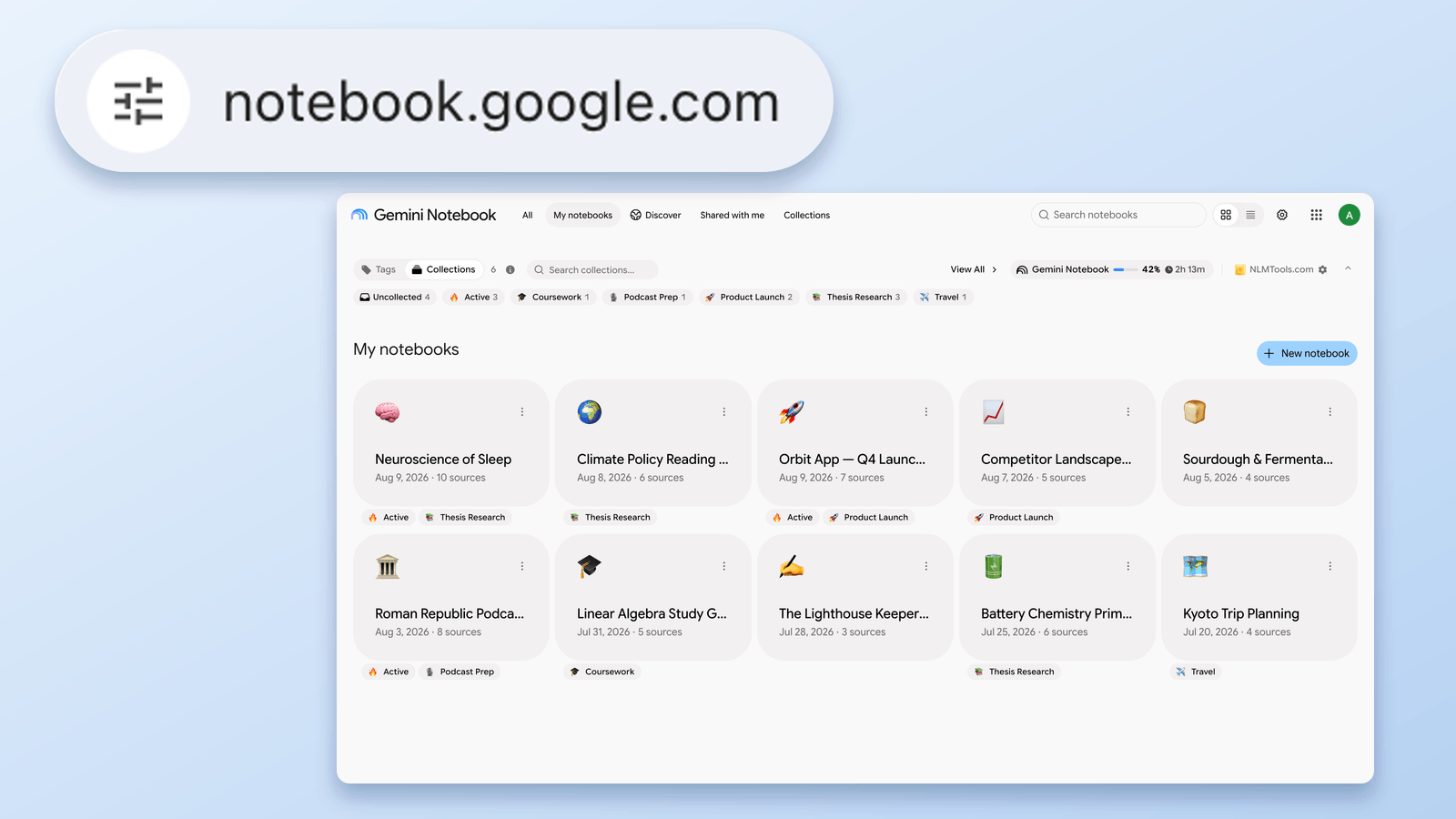
What Is notebook.google.com? NotebookLM's New URL, Explained
notebooklm.google.com now redirects to notebook.google.com. Is it legit, what changed, and what to update — verified August 24, 2026 against Google's own docs.
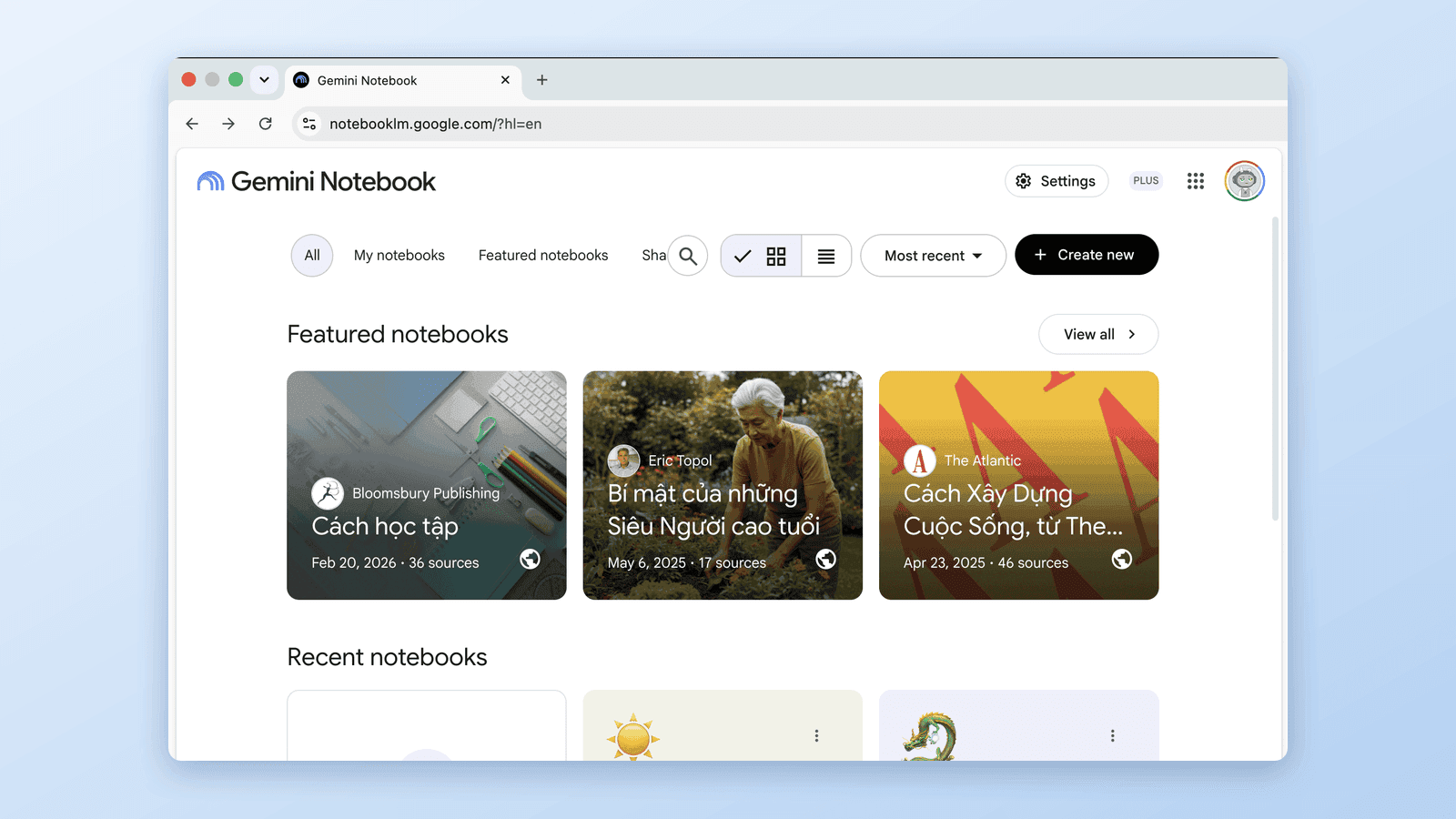
NotebookLM Is Now Gemini Notebook: What Changed & What Didn't
Google renamed NotebookLM to Gemini Notebook on July 16, 2026. Same product, new code-execution powers — and, since late July, a second address at notebook.google.com. Here's exactly what changes for you.