NotebookLM API: Pricing, API Key, Limits and What It Can Do
Enhance your NotebookLM experience with our free browser extension.
View plansShort answer: Yes, NotebookLM (now Gemini Notebook) has an official API. Google's Gemini Notebook API has been in Public Preview since early November 2026. It is free during the preview, it works with personal Google accounts, and it includes a remote MCP server, so AI apps such as Claude can use it. Today it can create and rename notebooks and add sources: web pages, YouTube videos and text, plus files if you call the API from your own code. It can't yet ask a notebook questions, generate Audio Overviews, or delete anything. There is no API key: you sign in with Google instead.
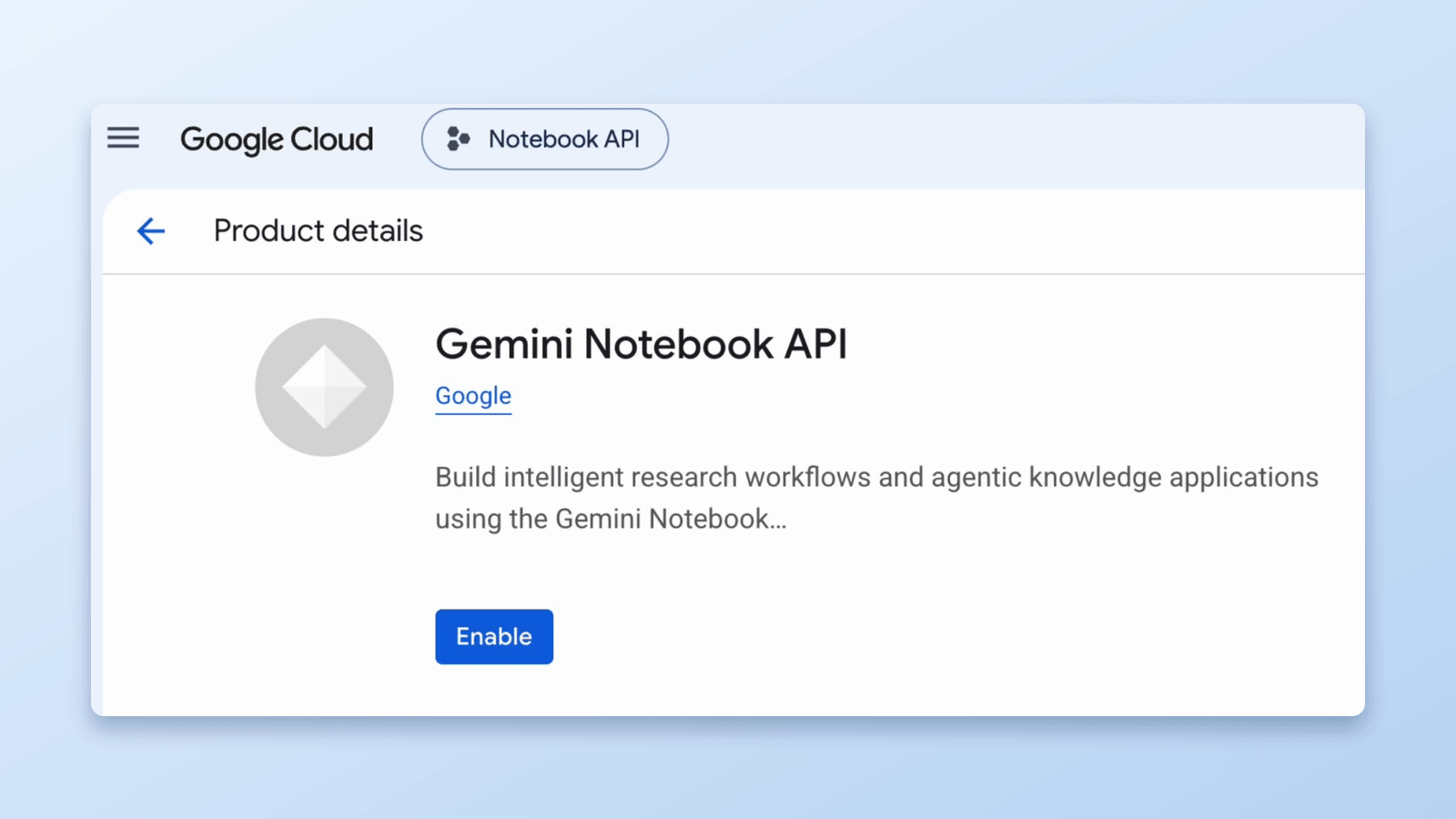
Last verified: 27 November 2026, against Google's developer documentation. The API is in Public Preview, so details may change. Changes to this page are logged at the end.
Does NotebookLM have an API?
Yes. Until November 2026 the honest answer was "no, unless you are an enterprise customer", and many pages that rank for this question still say so. Three different things get called "the NotebookLM API":
| Gemini Notebook API | Enterprise API | Unofficial libraries | |
|---|---|---|---|
| Made by | Google Cloud | Community developers | |
| For | Personal Google accounts | Organizations with Gemini Notebook for enterprise licenses | Anyone who accepts the risk |
| Status | Public Preview | Preview | Not supported by Google |
| Sign-in | Google sign-in (OAuth 2.0), no API key | Google Cloud account with a license | Your browser cookies |
| Price | Free during the preview | $9 per license per month, 15 licenses minimum | Free |
| Covers | Notebooks and sources | Notebooks, sources, Audio Overviews | Most of the web app, including chat |
| Pick it when | You want the route Google documents, and creating notebooks and adding sources is enough | Your organization already has those licenses | You need chat or Audio Overviews from code today, and accept that it can break |
1. The Gemini Notebook API is the official one for personal accounts. Google's developer docs describe it as "a REST interface for programmatically creating and managing notebooks and sources in Gemini Notebook" (overview). The same page says: "During the preview, the API is available for personal Google Accounts. Google Workspace accounts are not yet supported." Public Preview means the API is released but not finished: the docs warn that such features "might have limited support" and may change. I found no launch announcement from Google. The earliest copy of those docs in the Internet Archive is from 4 November 2026, and it already carries the Public Preview label.
2. The enterprise API belongs to Google Cloud's paid edition for organizations. Google's product page calls it Gemini Notebook for enterprise, its docs say Gemini Notebook for business, and older pages say NotebookLM Enterprise. It is also in Preview. Its docs cover notebooks (create, retrieve, list recently viewed, delete, share), sources and audio overviews, and every user needs a license. A separate Podcast API is marked deprecated.
3. Unofficial libraries such as notebooklm-py (over 20,000 GitHub stars on 27 November 2026) work through the NotebookLM web app's internal interfaces, signed in with your browser session. They can do much more than the official API, including chat and Audio Overviews. The README is plain about the trade-off: "This library uses undocumented Google APIs that can change without notice."
One more source of confusion: some third-party services offer their own hosted products under names like "NotebookLM API" or "Gemini Notebook API". Google's own APIs are on the googleapis.com domain: notebook.googleapis.com for personal accounts, and discoveryengine addresses for the enterprise edition. An API on any other domain is a third party's service.
The rest of this page is about the first one, unless it says otherwise.
How much does the NotebookLM API cost?
The Gemini Notebook API is free for now. Google's limits page says: "The Gemini Notebook API is free to use during the Public Preview period, subject to the following request rate limits and account capacity quotas" (Rate limits and quotas). Google has not published a price for after the preview, and the docs have no pricing page.
You do need a Google Cloud project, because that is where you switch the API on and create the sign-in client. Google's quickstart lists no billing step for this.
The enterprise API is paid by license. Google Cloud's product page lists "$9 USD per license per month (minimum 15 licenses)", and its licensing page says a subscription "contains at least 15 licenses". That makes the smallest paid subscription 15 × $9 = $135 a month.
Unofficial libraries cost nothing, and nobody is obliged to keep them working.
Your Google plan still caps what the API can create: 100 notebooks and 50 sources per notebook on the free plan, more on paid plans. The numbers are in the limits section below, and Is NotebookLM free? explains the plans.
Google sources last verified: 27 November 2026.
Is there a NotebookLM API key?
No. Google's authentication page says: "Every request must include an OAuth 2.0 Bearer token in the Authorization HTTP header. The API doesn't accept API keys."
OAuth 2.0 is the standard behind "Sign in with Google". In practice you don't paste a key anywhere. You sign in with your Google account and approve access to your notebooks, and the app you are using receives a token that works for your account only. There are two ways to get one:
- A quick test from the command line. Google's quickstart uses its
gcloudtool to sign you in and print a token. Its MCP guide notes that these tokens "expire after one hour". - A sign-in client for an app. You create an OAuth client in your own Google Cloud project and give its ID and secret to the app. Claude's custom connector works this way, and the guide to connecting NotebookLM to Claude walks through it.
Because the API accepts no keys at all, a Gemini API key from Google AI Studio won't work here either. That key belongs to a different product.
You don't apply for access. You switch the API on in your own Google Cloud project. Two conditions come from Google's docs: the account must be a personal Google account, and it must have signed in to Gemini Notebook at notebook.google.com at least once. If it hasn't, creating a notebook fails with "404 NOT_FOUND (Account not found for user.)".
What can the NotebookLM API do today?
Two things: manage notebooks and add sources. The REST API, the part your own code calls, has eight methods, and the MCP server offers seven of them as tools for AI assistants.
| Task | REST API | MCP server |
|---|---|---|
| Create a notebook | Yes | Yes (create_notebook) |
| List your notebooks, including shared ones | Yes | Yes (list_notebooks) |
| Read a notebook's name and creation date | Yes | Yes (get_notebook) |
| Rename a notebook | Yes | Yes (update_notebook) |
| Add a web page, YouTube video, plain text or Markdown as a source | Yes | Yes (create_source) |
| Upload a file as a source | Yes (UploadSource) | No |
| List a notebook's sources | Yes | Yes (list_sources) |
| Check whether a source has finished processing | Yes | Yes (get_source) |
The rules for sources come from Google's sources page:
- Web pages must be publicly accessible, with "no login wall or paywall".
- YouTube videos must be public or unlisted and have captions.
- Plain text and Markdown can be up to 500,000 words and 1 MB.
- Files go through the REST upload method only: PDF, Word, PowerPoint, EPUB, CSV, audio, images and several other types, up to 200 MiB (about 210 MB) each. Google's MCP guide says it directly: "File uploads aren't available as an MCP tool."
Sources are processed in the background. A new source starts as PROCESSING and ends as ACTIVE or FAILED, and the API lets you check which. In my test on 26 November 2026, Claude added 16 sources to one notebook through the MCP server: 13 became active and 3 journal articles failed.
The API is also still growing. An archived copy of Google's roadmap from 4 November 2026 listed "Supporting binary file uploads" as planned. By 20 November the upload method was in the docs.
Google sources last verified: 27 November 2026.
What can't the NotebookLM API do yet?
The things most people want an API for are not in the preview:
- Ask a notebook questions. There is no chat or query method, and
get_sourcereturns a source's title, type, status and original URL, not its text. - Create Audio Overviews, reports or other Studio outputs.
- Delete notebooks or sources.
- Add Google Drive or Google Docs links. The API rejects them as an "unsupported URL domain".
- Work with Google Workspace accounts.
All five correspond to items on Google's roadmap, in these words: "Supporting Google Workspace accounts", "Supporting deleting notebooks and sources", "Supporting adding Drive URLs as sources", "Retrieving information from a notebook" and "Generating artifacts". There are no dates, and Google adds that the roadmap "is for informational purposes only and is subject to change". The roadmap doesn't define "artifacts". Google's plans page uses the word for "Audio Overviews, Video Overviews, Reports, and more".
On Reddit in early November 2026, a commenter who wrote "Hi, Notebook PM here!" summed up the preview like this: "Right now, in our public preview phase as we're developing the API and MCP, you can only add a limited number of source types and create notebooks" (r/notebooklm thread, read 27 November 2026). Google takes feature requests in its Issue Tracker.
What are the rate limits and quotas?
These come from Google's limits page, last updated 20 November 2026:
| Limit | Value |
|---|---|
| Read requests, per Google Cloud project | 100 per minute |
| Write requests, per Google Cloud project | 100 per minute |
Adding sources (CreateSource), per user | 20 per minute |
File uploads (UploadSource), per user | 20 per minute |
| Every other method, per user | 60 per minute each |
| Longest source | 500,000 words |
| Largest inline text | 1 MB |
| Largest uploaded file | 200 MiB (about 210 MB) |
If you go over a rate limit, the API refuses requests with a "429 Too Many Requests" error until you slow down. When an assistant fills a notebook for you, the limit of 20 new sources a minute is likely the first one it meets.
The API also can't hold more than your Google plan allows:
| Plan | Notebooks | Sources per notebook |
|---|---|---|
| Free | 100 | 50 |
| Plus | 200 | 100 |
| Pro | 500 | 300 |
| Ultra | 500 | 600 |
Those are the numbers on the API's limits page. Google's plan table for the app lists two Ultra tiers, one of them with 500 sources per notebook; Is NotebookLM free? has what each plan costs and includes.
Google sources last verified: 27 November 2026.
Does NotebookLM have an MCP server?
Yes, an official one. Google's MCP guide says: "The Gemini Notebook API provides a remote Model Context Protocol (MCP) server at https://notebook.googleapis.com/mcp." MCP is the standard that lets AI assistants such as Claude use outside tools. The server "exposes 7 tools corresponding to the REST API methods": four that read (list and get, for notebooks and for sources) and three that write (create a notebook, rename a notebook, add a source). None of them deletes anything.
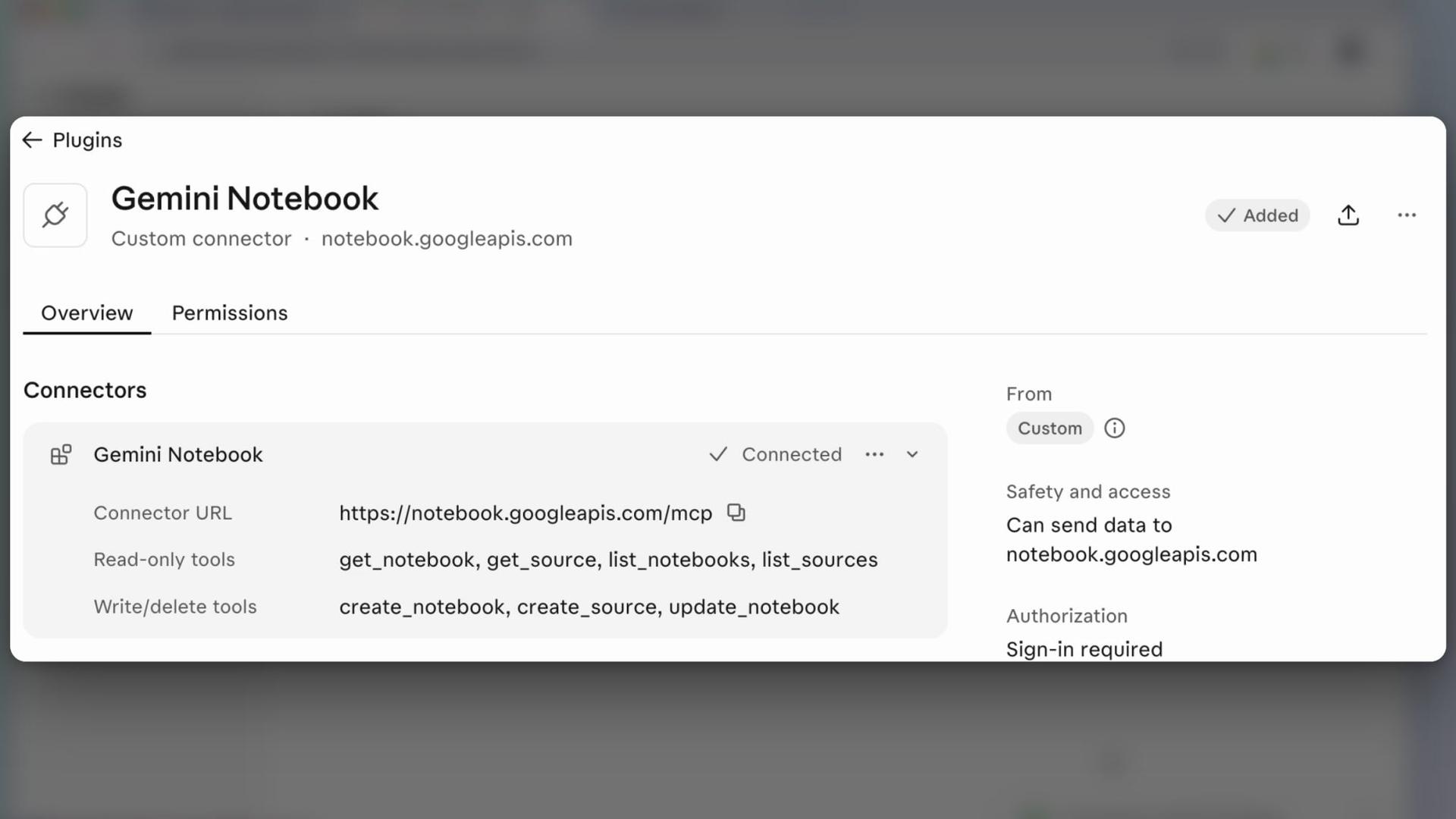
It is not the same thing as the NotebookLM MCP servers on GitHub, which have been around since 2025:
| Google's official MCP server | Community MCP servers | |
|---|---|---|
| How it reaches your notebooks | Google's public API, after a Google sign-in | The web app's internal interfaces, with your browser cookies or an automated browser |
| What it can do today | Create and rename notebooks, add web pages, YouTube videos and text, check sources | More, including asking notebooks questions and making Audio Overviews |
| Where it runs | On Google's servers | Usually on your computer |
| Who stands behind it | Google (Public Preview) | Volunteer maintainers |
The community projects say what the catch is. One of the most popular, gemini-notebook-mcp-cli (over 6,500 GitHub stars on 27 November 2026), carries this disclaimer:
This MCP and CLI use internal APIs that:
- Are undocumented and may change without notice
- Require cookie extraction from your browser (I have a tool for that!)
- May not be aligned with Google's Terms of Service
Use at your own risk for personal/experimental purposes.
Another well-known server, PleasePrompto's notebooklm-mcp, was archived in September 2026; its README now opens with "This project is no longer maintained."
So the choice is easy to state. If you need an MCP server that lets an assistant question your notebooks today, only the community servers offer that. If you want something Google documents, with a normal Google sign-in and no cookies, use the official server and accept that for now it only builds notebooks. To set the official server up in Claude without code, follow how to connect NotebookLM to Claude.
Which AI apps can use the NotebookLM API?
Any app that can talk to a remote MCP server, plus your own code through the REST API. Here is what I have and haven't tested:
- Claude. Tested. You add
https://notebook.googleapis.com/mcpas a custom connector with your own Google sign-in client, with no code. It works on Claude's free plan (Anthropic's help page: "Free users are limited to one custom connector"), though a long job can use up the free plan's usage limit, as it did in my test. Steps, screenshots and a video are in How to connect NotebookLM to Claude. - Claude Code and Cursor. I haven't tested these. Google's MCP guide has the exact command for Claude Code and the config file for Cursor. Both use a token from
gcloud, which expires after one hour. Google Cloud's general guide, Configure MCP in an AI application, describes signing in with your own OAuth client instead. - ChatGPT. I haven't tested this. OpenAI's help page says "Custom MCP server connections and full MCP support are available for ChatGPT Business and Enterprise/Edu customers on ChatGPT web", and "Pro users can connect custom MCP servers with read/fetch permissions". Creating notebooks and adding sources are write actions, so read-only access would only let ChatGPT list what you already have.
- Other MCP apps. Google's guide says: "For any MCP client that supports remote Streamable HTTP servers, configure the endpoint URL and headers."
- Your own scripts. Google's docs have examples in Python, JavaScript and curl.
OpenAI and Anthropic pages last verified: 27 November 2026.
Does the NotebookLM API work with Google Workspace accounts?
Not yet. Google's authentication page says: "Requests authenticated with a Google Workspace account fail with 403 PERMISSION_DENIED (WORKSPACE_ACCOUNT_NOT_SUPPORTED)." Support for work and school accounts is on the roadmap, with no date. Organizations that need an API today have the enterprise API, with its licenses.
How do you get sources and chat out of a notebook?
Not with the API, for now. It puts sources in. It doesn't hand their text back, and it has no method for chat history.
NotebookLM Tools, our free browser extension, covers that side from inside the app: it can export every source in a notebook as a ZIP of Markdown files or as JSON, and export the chat as Markdown or PDF. It can also delete sources and notebooks in bulk, which the API can't do yet.
Disclosure: this blog belongs to NotebookLM Tools. The extension isn't made by Google or Anthropic.
Frequently Asked Questions
Does NotebookLM have an API?
Yes. Google's Gemini Notebook API (Gemini Notebook is NotebookLM's new name) has been in Public Preview since early November 2026 for personal Google accounts. It is a REST API with a remote MCP server, and it can create and rename notebooks and add sources. A separate enterprise API exists for organizations that buy Gemini Notebook for enterprise licenses from Google Cloud (last verified 27 November 2026).
Does Gemini Notebook have an API?
Yes. Gemini Notebook is the new name of NotebookLM, and the Gemini Notebook API is its official API. It is in Public Preview, free during the preview, and limited to personal Google accounts for now (last verified 27 November 2026).
How much does the NotebookLM API cost?
Google's limits page says the Gemini Notebook API is free to use during the Public Preview period, and Google has not published a price for after the preview. The enterprise API is different: Google Cloud lists Gemini Notebook for enterprise at $9 per license per month with a minimum of 15 licenses (last verified 27 November 2026).
How do I get a NotebookLM API key?
You can't, because there isn't one. Google's authentication page says the API doesn't accept API keys. Every request needs an OAuth 2.0 token instead, which you get by signing in with your Google account, either through Google's gcloud command-line tool or through a sign-in client you create in your own Google Cloud project.
Can the NotebookLM API answer questions or create Audio Overviews?
Not yet. In the Public Preview the API creates and renames notebooks and adds sources. Asking a notebook questions and generating Studio outputs such as Audio Overviews are on Google's roadmap as 'Retrieving information from a notebook' and 'Generating artifacts', with no dates (last verified 27 November 2026).
Does NotebookLM have an MCP server?
Yes. Google runs an official remote MCP server at https://notebook.googleapis.com/mcp as part of the Gemini Notebook API. It offers seven tools for creating, renaming and listing notebooks and for adding and checking sources. The NotebookLM MCP servers on GitHub are separate community projects that work through your browser session.
Does the NotebookLM API work with Google Workspace accounts?
Not yet. Google's docs say requests from a Google Workspace account fail with the error WORKSPACE_ACCOUNT_NOT_SUPPORTED, and Workspace support is on the roadmap without a date. For now you need a personal Google account that has opened Gemini Notebook at least once.
Is notebooklm-py the official NotebookLM API?
No. notebooklm-py is a community project that describes itself as an unofficial Python API. It works through the web app's internal interfaces, signed in with your browser session, and can do more than Google's official API, including chat. Its README warns that it uses undocumented Google APIs that can change without notice.
Do I need to apply for the NotebookLM API?
No. You switch the Gemini Notebook API on in your own Google Cloud project and sign in with a personal Google account that has opened Gemini Notebook at least once. Google's quickstart has no application step.
Updates
- 28 November 2026: Published. Every fact about Google, OpenAI and Anthropic was checked against their own pages on 27 November 2026.
Related articles:
- How to Connect NotebookLM to Claude — Google's official MCP server in Claude, step by step, with no code.
- Is NotebookLM Free? — What the free plan includes, and what Plus, Pro and Ultra add.
- How to Download All Your NotebookLM Sources at Once — Every source of a notebook as Markdown or JSON.
- How to Export NotebookLM Chat History — The conversation as a Markdown file or a PDF.
Trusted by 100,000+ NotebookLM users
Related articles
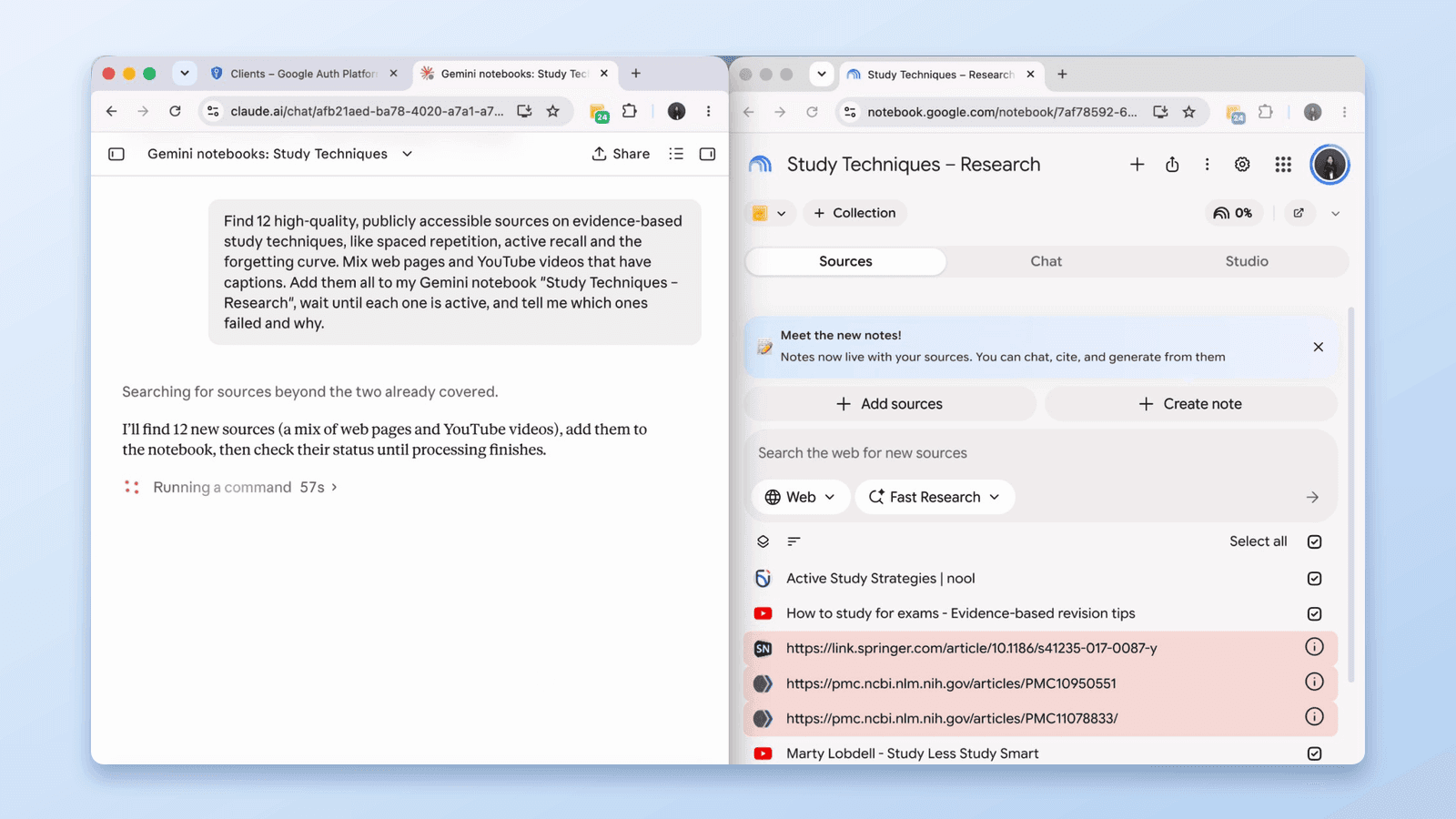
Connect NotebookLM to Claude: Official API + MCP (Free, No Code)
Connect NotebookLM (now Gemini Notebook) to Claude with Google's official MCP server: 7 steps, no code, and it works on Claude's free plan. Video included.
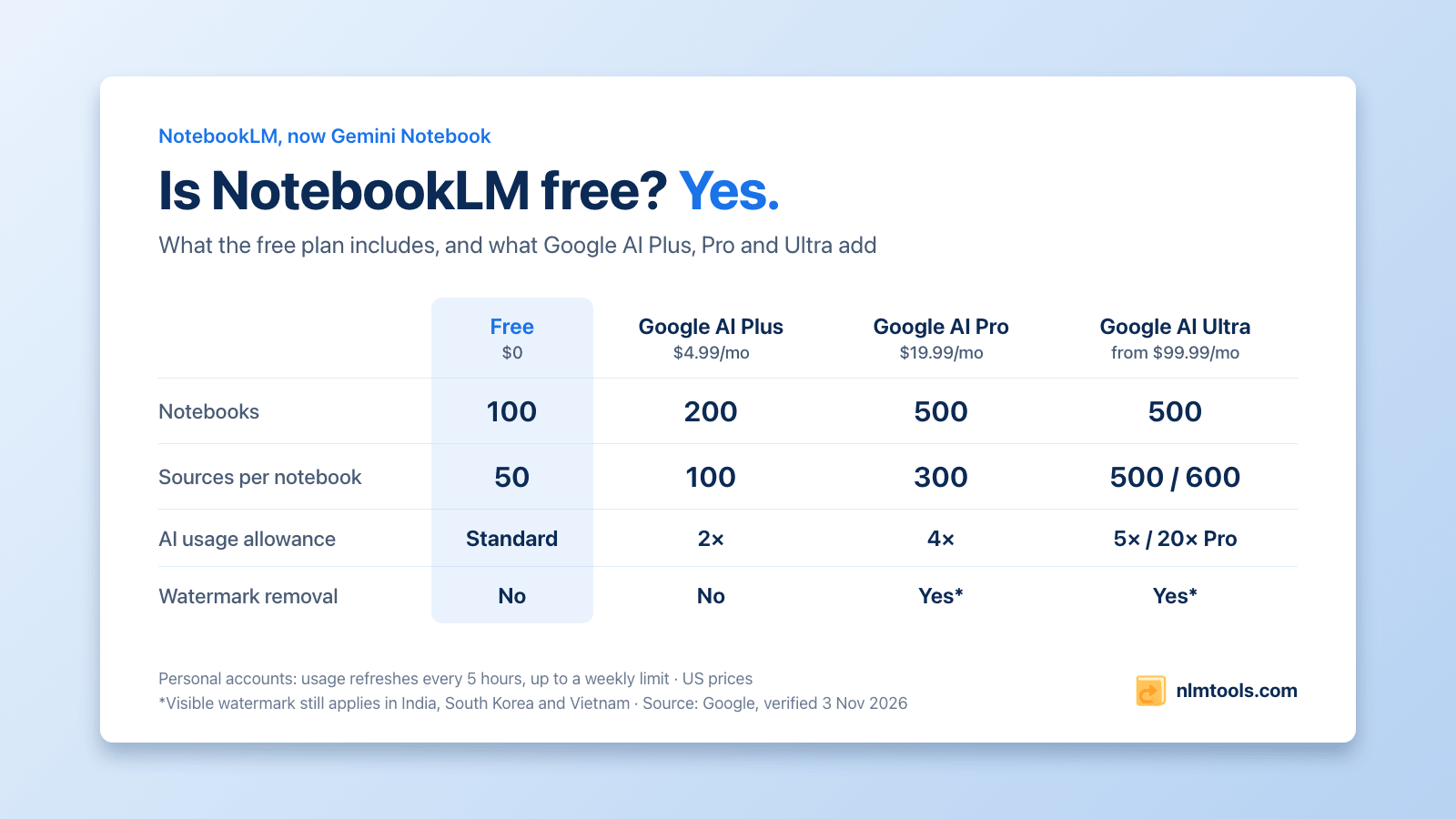
Is NotebookLM Free? Limits, Prices & What Paid Plans Add
Yes, NotebookLM (now Gemini Notebook) is free: 100 notebooks, 50 sources each, usage that refreshes every 5 hours. See what Plus, Pro and Ultra add and cost.
What Is notebook.google.com? NotebookLM's New URL, Explained
notebooklm.google.com now redirects to notebook.google.com. Is it legit, what changed, and what to update — verified August 24, 2026 against Google's own docs.