The missing power tools for NotebookLM
Organize sources into folders, save and reuse AI prompts, bulk-import 50+ sources, switch to dark mode, and work in 70+ languages. Everything NotebookLM should have had from day one.
Loved by 30,000+ power users
No signup. No account. Just install and go.
As featured in


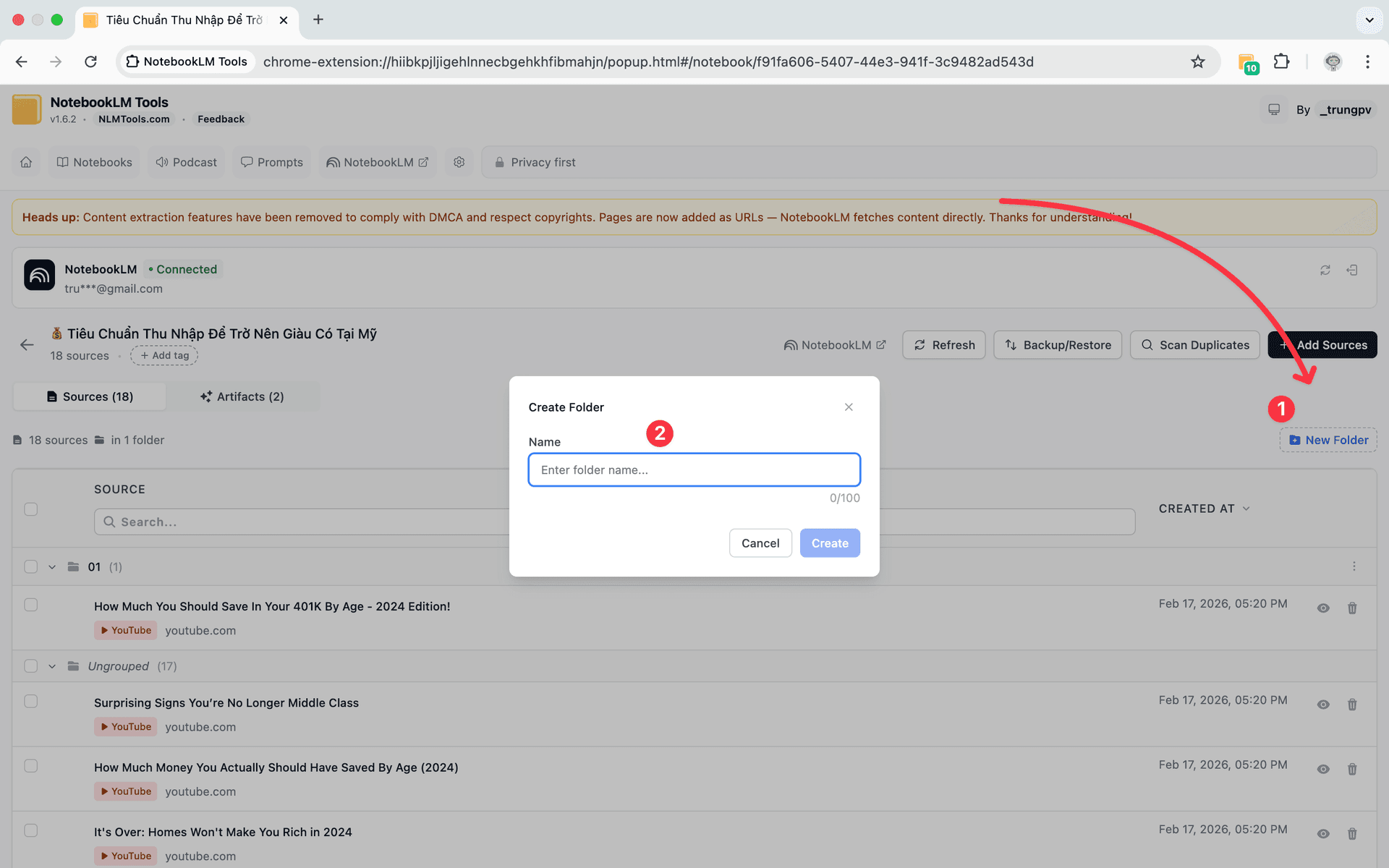
Group sources into folders — just drag and drop
NotebookLM dumps all sources into one flat list. Folders let you group related sources — research papers here, interviews there — so you can find anything in seconds.
- Create up to 50 folders per notebook
- Drag and drop sources between folders
- Color-code folders for visual organization
- Collapse folders to reduce clutter
- Bulk-move sources across folders
What Users Say
“This is just what I needed. It has significantly improved my NotebookLM workflow.”
— Yoshiaki
Researcher
“It worked like a charm.”
— nitin d
NotebookLM User
“Very good extension, easy to use.”
— Eduardo Goig Alique
NotebookLM User
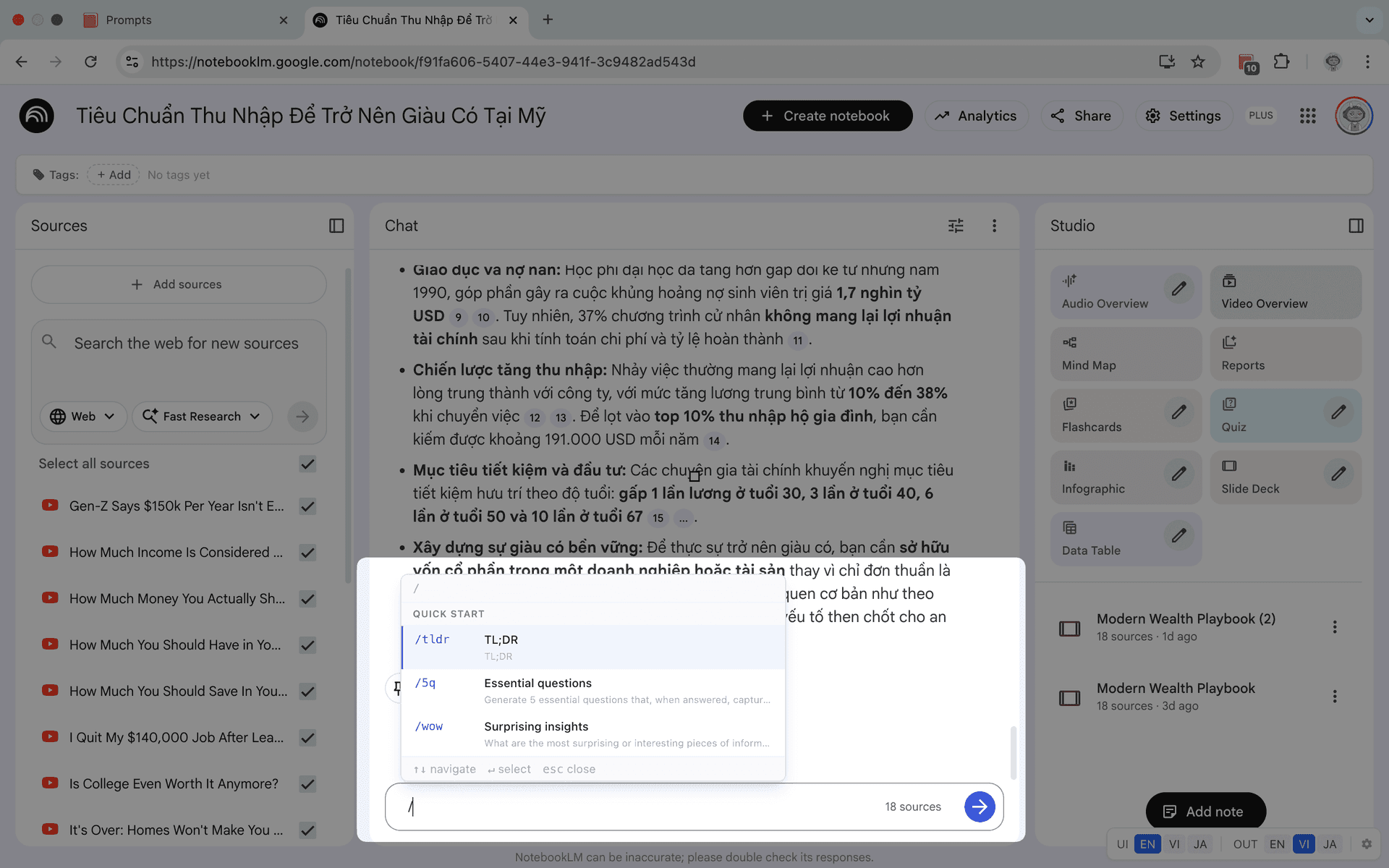
Save prompts and reuse them with a slash command
Stop retyping the same instructions. Save your best prompts, organize them by category, and trigger any prompt instantly by typing / in the chat.
- Save up to 100 custom prompts
- Trigger any prompt with /slash commands
- Organize prompts by category
- Edit and refine prompts over time
- Share prompt templates across notebooks
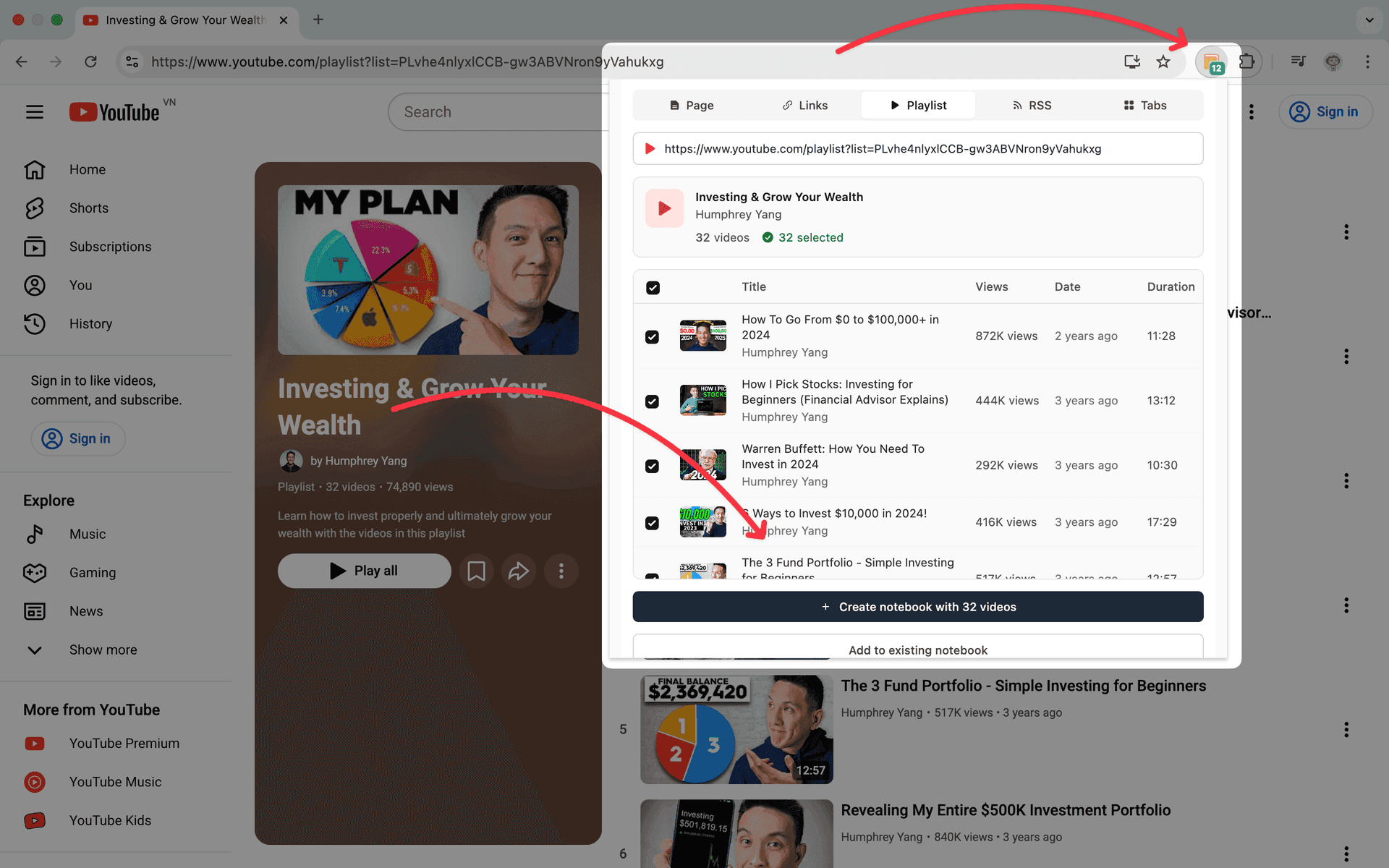
Bulk import YouTube, web pages, tabs, and RSS feeds
No more adding sources one at a time. Import text, links, YouTube videos, RSS feeds, and ZIP files in bulk to save time and streamline your research workflow.
- Paste multiple URLs or text snippets at once
- Import entire YouTube playlists
- Subscribe to RSS feeds for automatic updates
- Upload ZIP files with multiple documents
- 1-click refresh for Google Drive sources
- Import all open browser tabs in one click
Still managing NotebookLM without power tools?
Join 30,000+ NotebookLM users
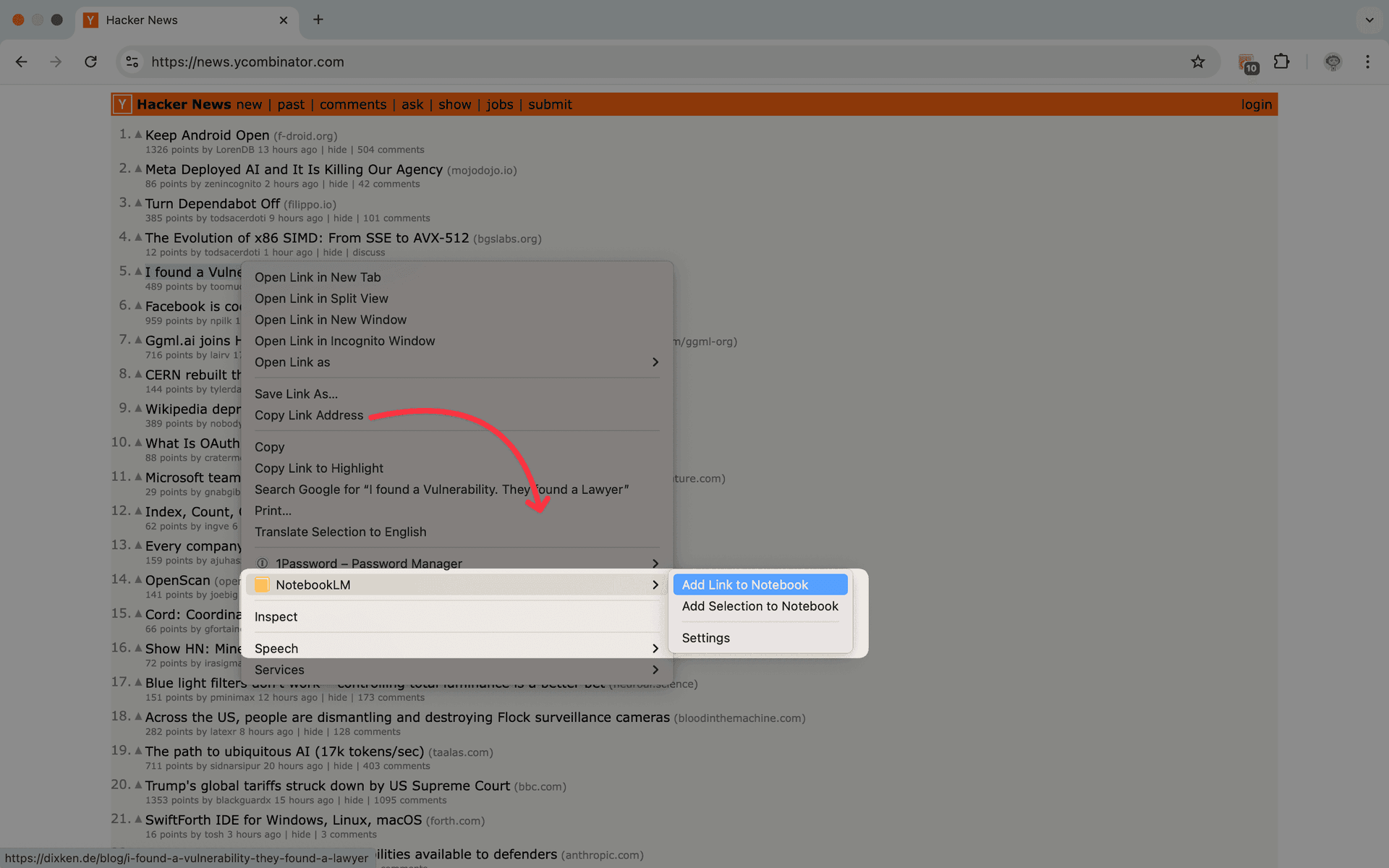
Add any web page to NotebookLM without switching tabs
Right-click any page, link, or selection and send it straight to your notebook. Eight context menu actions turn your browser into a research capture tool.
- Add current page as a source
- Send selected text to a notebook
- Add a link target without opening it
- Choose your target notebook from the menu
- Works on any web page you visit
Extension dark mode, source freshness, and source type badges
Customize your workspace appearance, keep sources up to date, and identify source types at a glance.
Dark mode for the extension panel
Switch the NotebookLM Tools side panel between dark, light, or system theme. Keep the extension UI comfortable during late-night research sessions.
Know when your sources are out of date
Source freshness checks your Google Drive documents for changes and flags outdated sources. One click syncs everything so your notebook always has the latest version.
Source type badges
Identify Google Slides, Sheets, images, and videos at a glance with automatic source type badges.
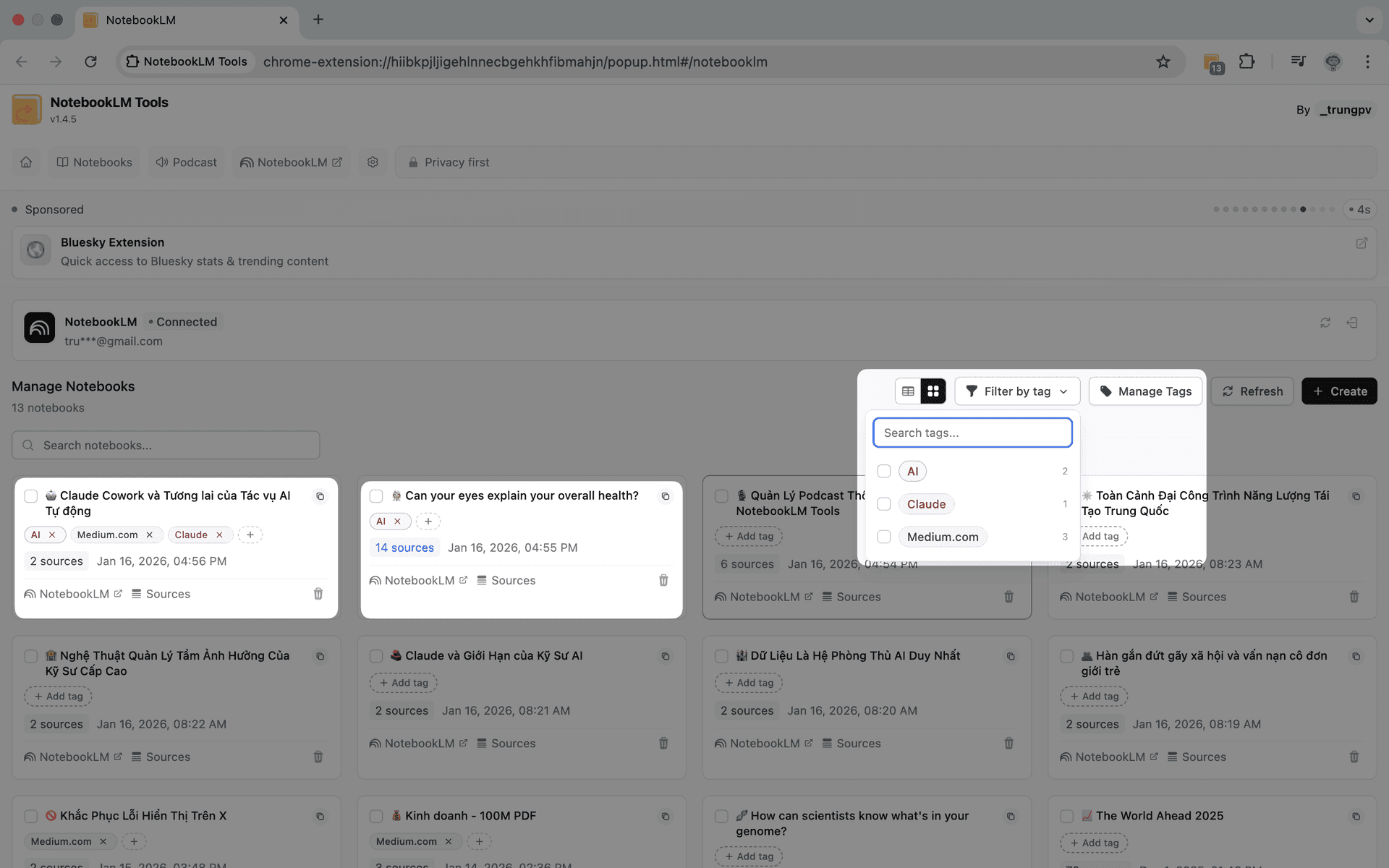
Find any notebook in 2 seconds
Create custom tags with colors to categorize your notebooks. Filter, search, and manage notebooks with bulk operations for effortless organization.
- Create tags with custom colors
- Filter notebooks by multiple tags
- Bulk tag operations
What the community is saying
How To Scale NotebookLM
forbes.com話題のAIツール、グーグル「NotebookLM」をもっと活用する方法
forbesjapan.com
Do NOT use NotebookLM without this (it's free)
Xavier Mitjana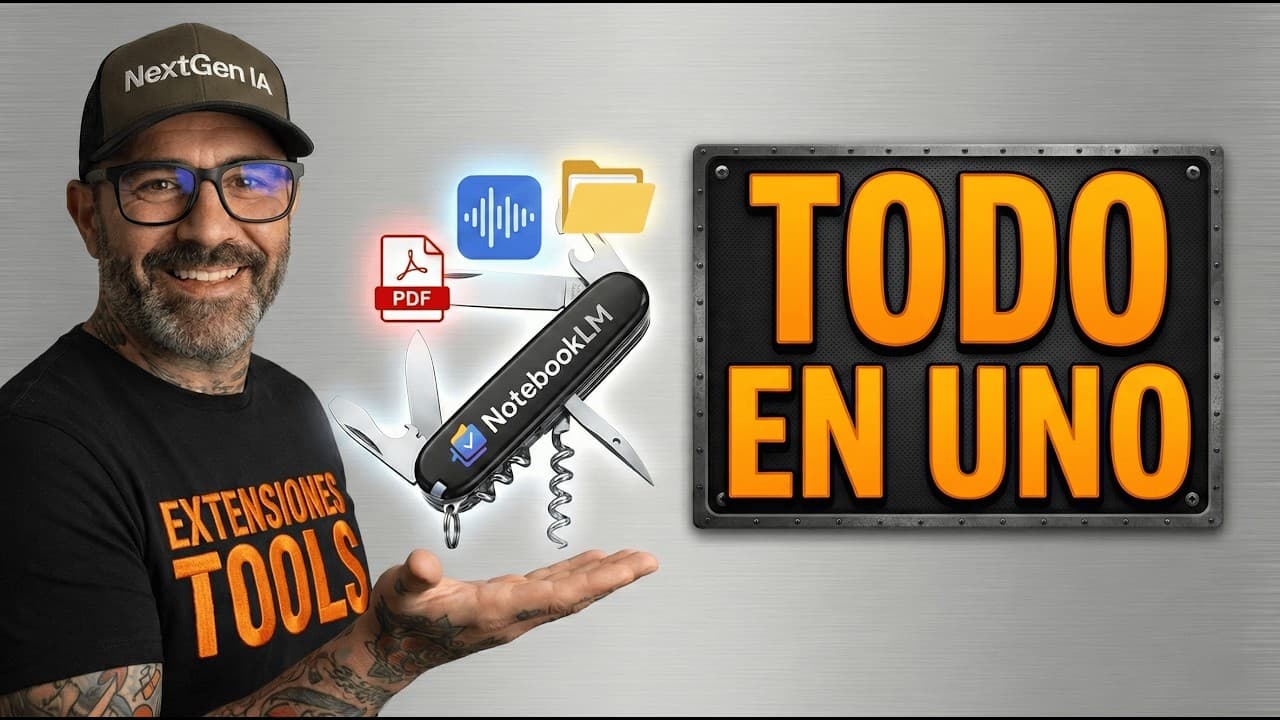
Google NotebookLM: The Trick to Have Folders and Export Everything
NextGen IA Hub
NotebookLM Ganha SUPERPODERES: Instale Essa Extensão AGORA!
Adriano Santos da silva
Melhor extensão para o NotebookLM
Professor Rafael Sampaio
Your Favorite AI, Just Better: Discover NotebookLM Tools now!
Guia do NotebookLM
Extensión BRUTAL para NotebookLM (y gratis)
Ernesto IbáñezWatch the tutorials
Learn how to install and use NotebookLM Tools with these guides.
Send YouTube channels, playlists, and videos straight to NotebookLM
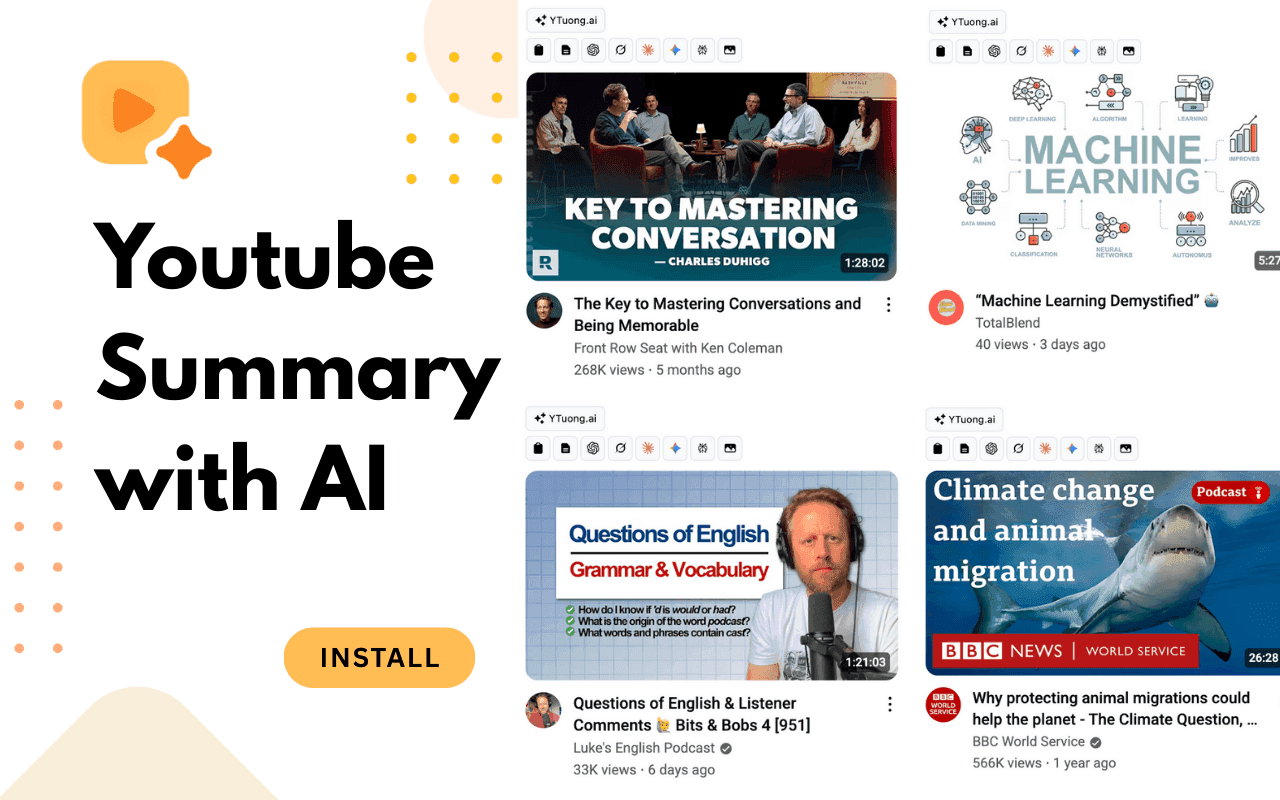
YouTube to NotebookLM lets you add entire channels, playlists, or individual videos to any notebook — right from YouTube. No copying links, no switching tabs. Pick a notebook and send.
- Add entire YouTube playlists to a notebook in one click
- Import full channels — every video, one action
- Send individual videos while you watch
- Pick or create a notebook without leaving YouTube
Frequently Asked Questions
Ready to make NotebookLM work smarter?
Free to use. No signup. No credit card. Source folders, prompts, dark mode, and more.
Works with Chrome, Edge, Brave, Arc, and Opera